
Last updated:
May 19, 2026
Map Items Count
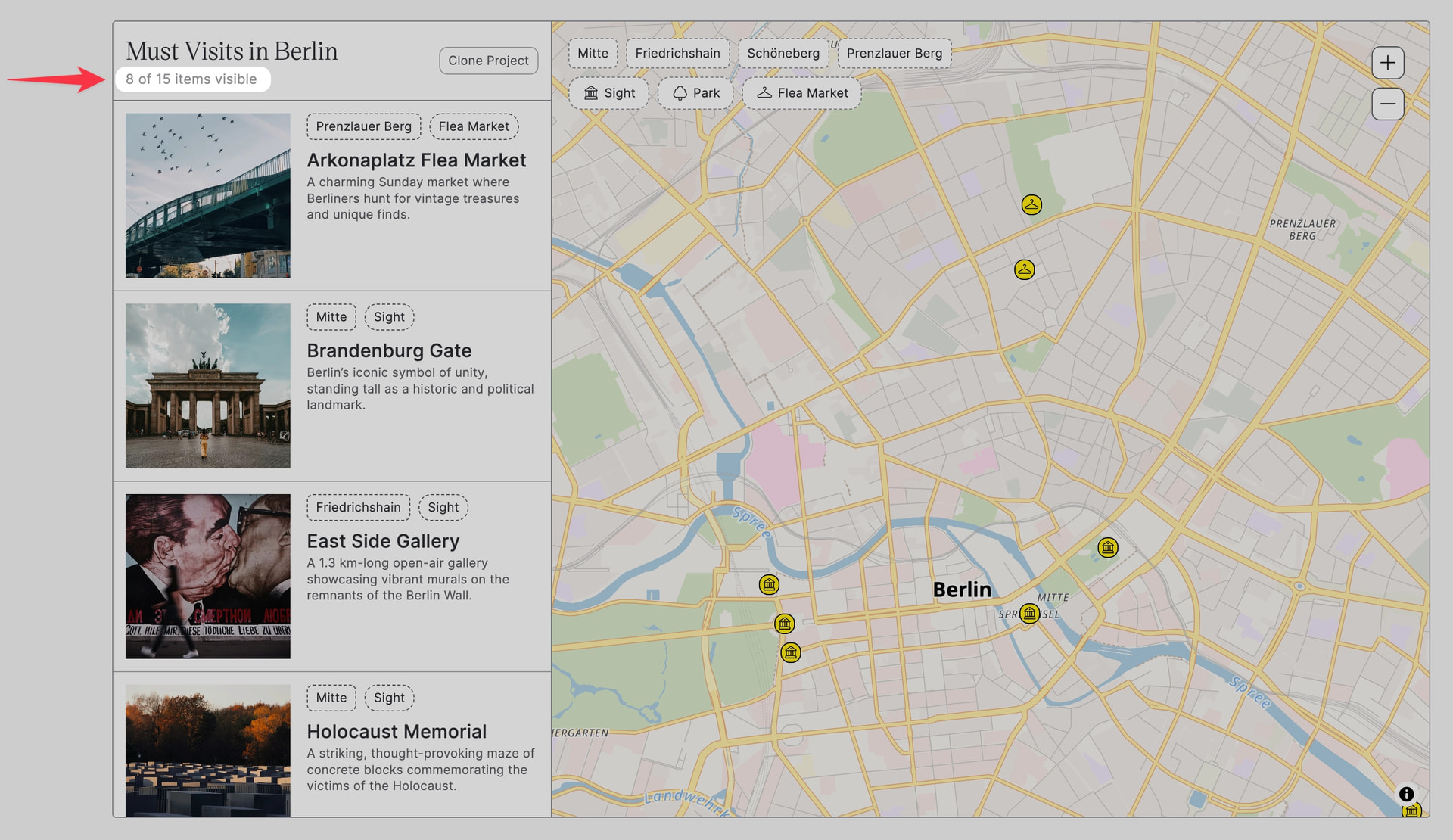
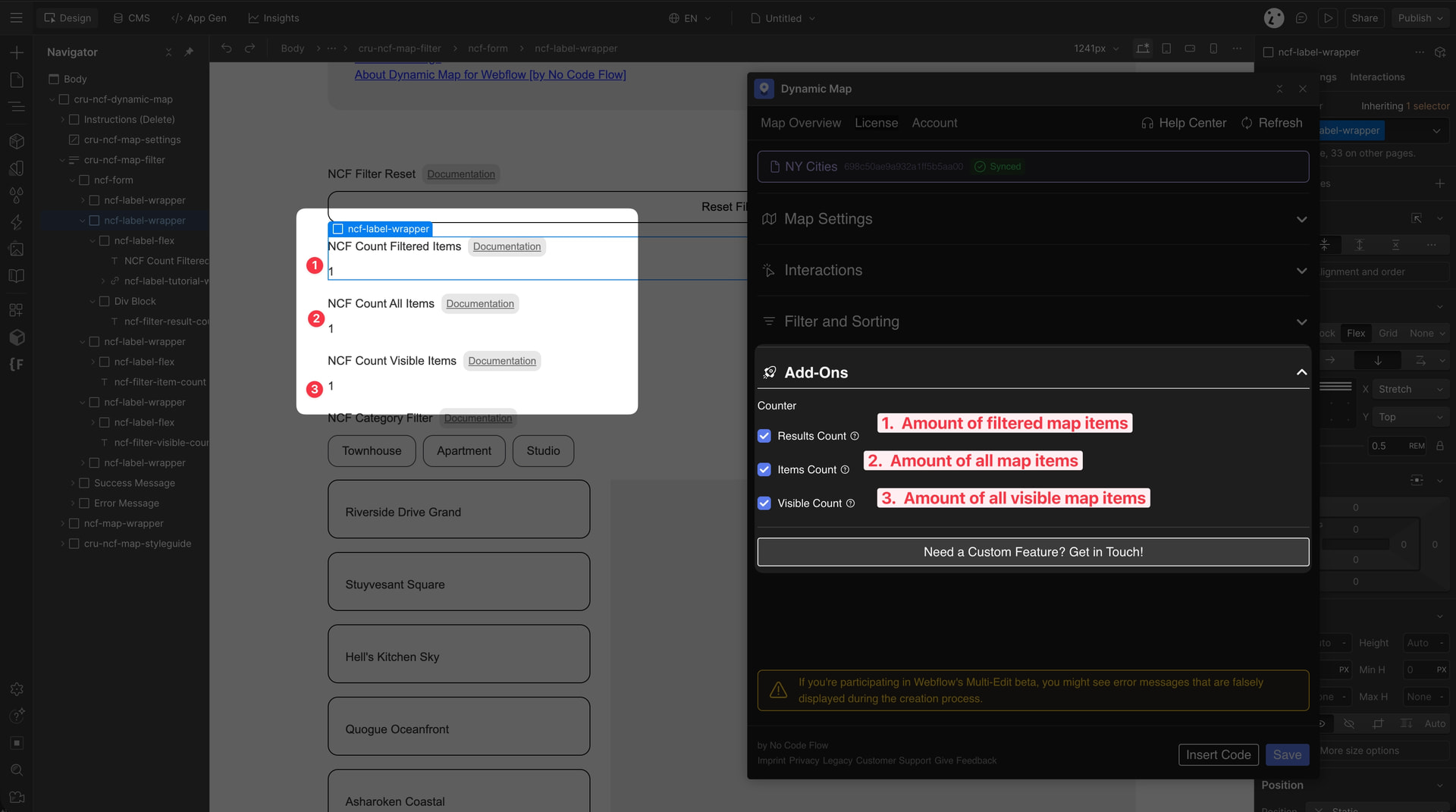
Dynamic Map provides three built-in counting attributes: Total Count shows the full CMS collection size, Visible Count updates in real-time as users pan or zoom the map, and Filtered Count reflects how many items match active category or search filters. To enable Visible Count, activate Live Filtering in the Interactions panel.
To show your users how many items are currently on the map, you can use Dynamic Map’s built-in counting attributes. This is perfect for store locators or directories where users need to see how many results are in a specific area.
- Total Count — Displays the full size of your CMS collection.
- Visible Count — Updates in real-time as users pan or zoom the map.
- Filtered Count — Shows how many items match the current category or search filters.
💡 UX Tip: Place these counters near your search bar or filter chips to give users instant visual confirmation of their actions.
Implementation
Dynamic Map provides three different attribute-based counting methods. Add a plain HTML element (e.g. a <div> or <span>) to your page and apply the relevant attribute to make the count appear automatically.
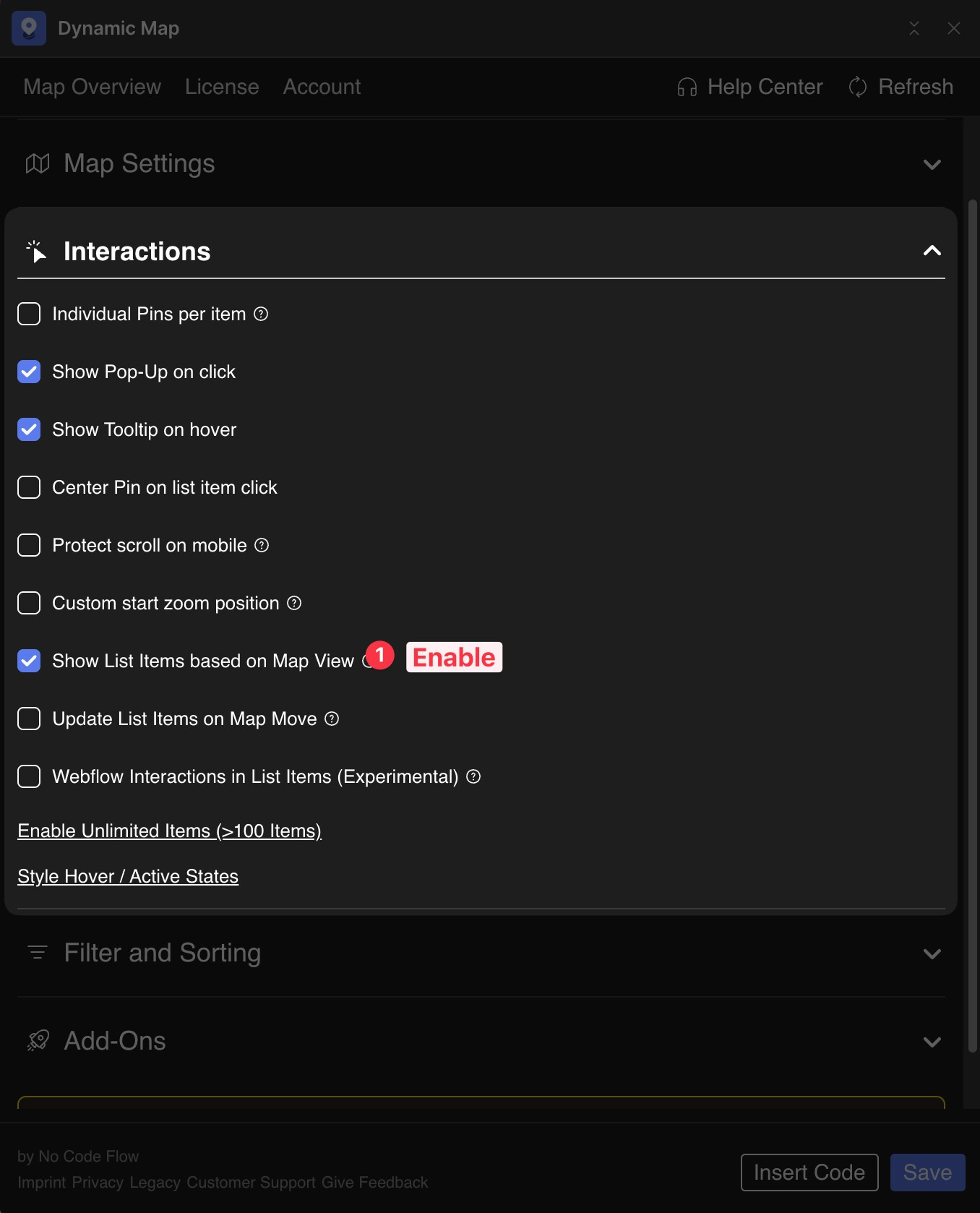
Enable Visible Count
To enable the live Visible Count, you must first activate Live Filtering in Dynamic Map App. Navigate to Interactions and enable Show list items based on map view.
💡 See the full guide: Live Filtering: Show List Items based on Map View.
