
Last updated:
June 4, 2026
Map Filter Reset
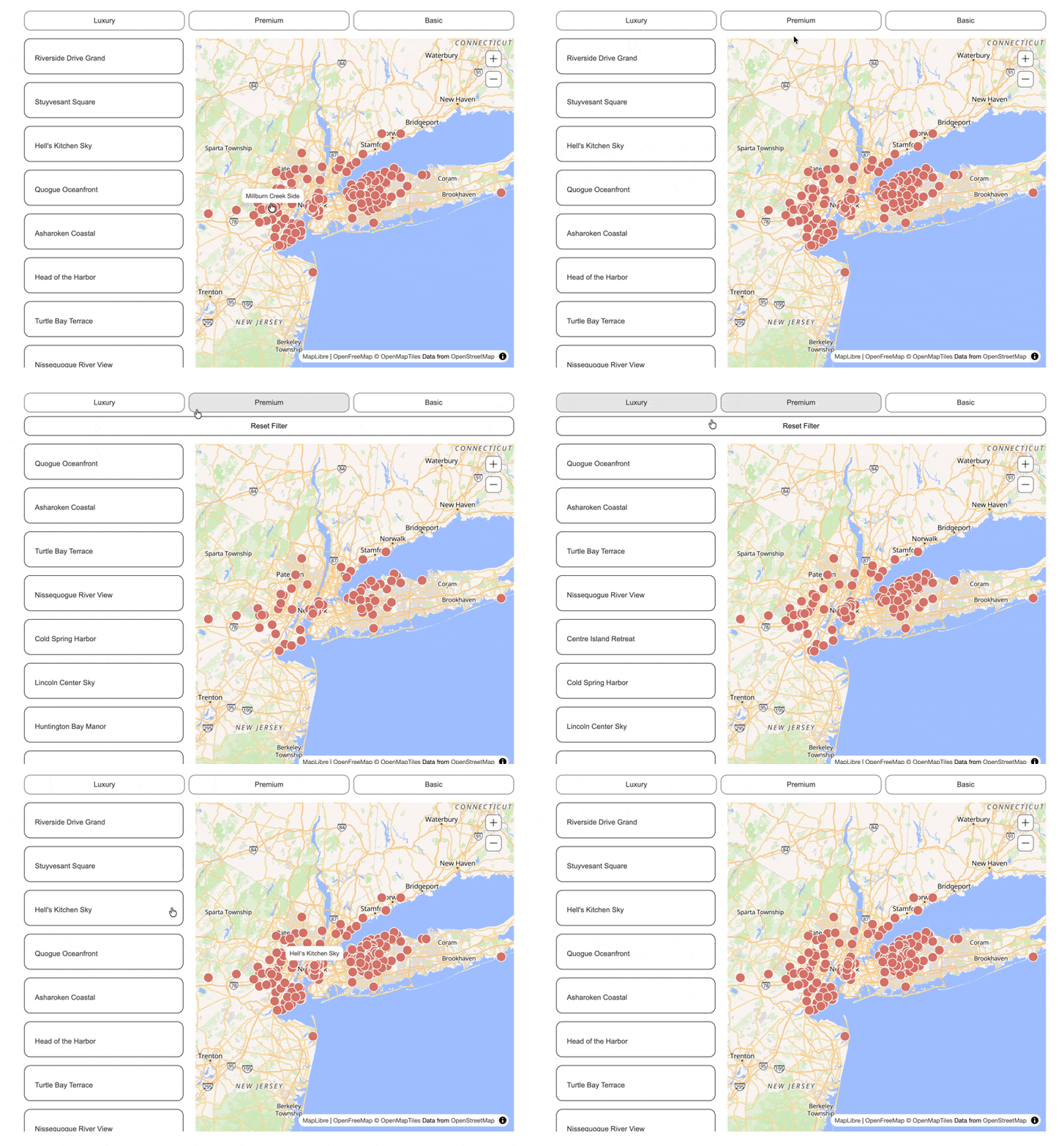
The filter reset button gives users a single click to clear all active filters and return the map to its default state, showing all CMS items with no filters applied. It appears automatically when any filter is active and disappears when the map is in its unfiltered state, so it never clutters the interface during normal browsing. Like all Dynamic Map elements, the filter reset is a native Webflow element that you style and position freely in Webflow Designer.
The filter reset button clears all active filters and restores the full map view. It is only visible on the live site when a filter is currently active.
If you’re not using any filters, you can safely delete this element.
Required Attribute
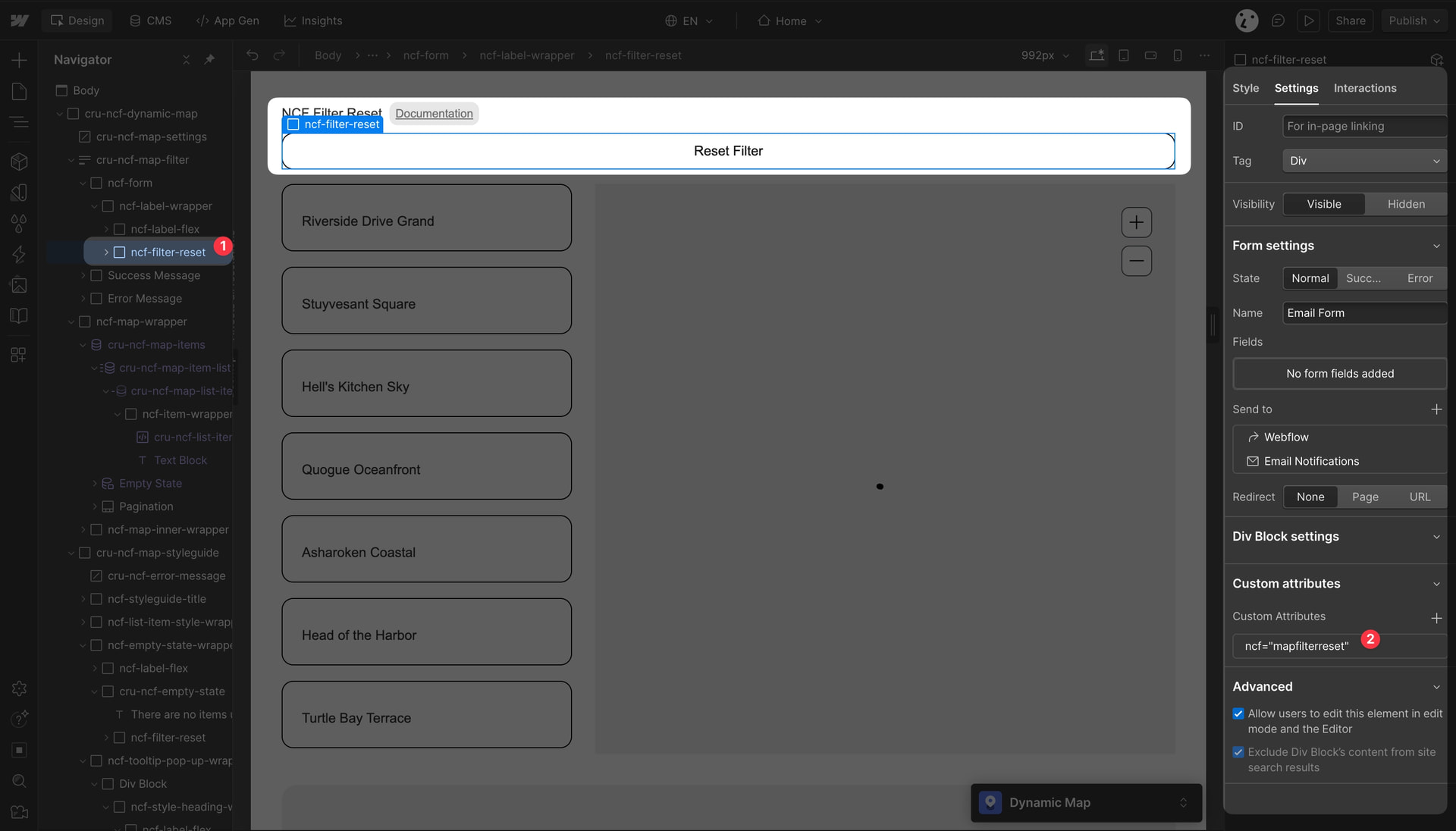
The reset button must have the attribute ncf="mapfilterreset" to work properly.
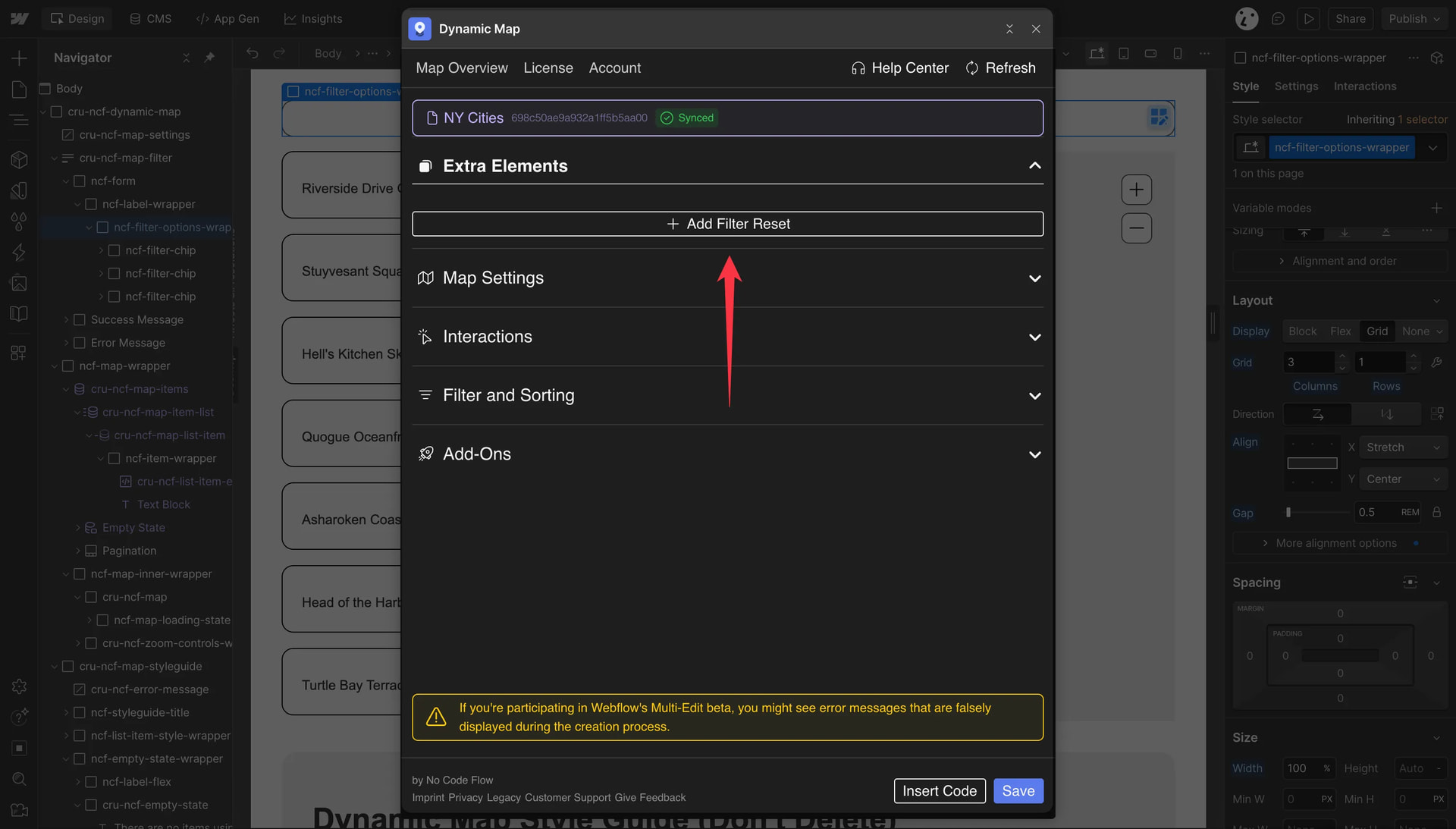
💡 Good to Know: If you’ve accidentally deleted the filter reset button, you can add it back via Extra Elements in Dynamic Map App.
Works together with Map Category Filter, Map Text Search, Address Search, Sorting and Map Range Slider.
Practical Tips
- The reset button visibility is managed automatically. You don’t need to add any custom show/hide logic. Dynamic Map detects when one or more filters are active and shows the reset button automatically. When all filters are cleared, it hides again.
- Style it to stand out when it appears. Since the reset button only shows up when a user is in a filtered state, make it visually prominent: a solid background, contrasting color, and a clear label like ‘Clear filters’ or ‘Show all’. A subtle or low-contrast button gets missed.
- If you’ve deleted the reset button, re-add it from Extra Elements. Open Dynamic Map App, navigate to Extra Elements, and re-insert the filter reset. It will be placed in the correct location in your Webflow page structure automatically.
Use Cases
- Any map with category filters, text search, or range sliders, particularly store locators and restaurant guides where users commonly combine filters and then want to start over.
- Real estate maps where a user applied price and bedroom filters and wants to see all available properties again.
- Travel guides where a user explored a specific category and now wants to see the full map.
