
Last updated:
May 28, 2026
Map Pop-Ups on Click
Pop-ups are the primary way to surface detailed CMS content when a user clicks a map pin. When a pin is clicked, the pop-up element becomes visible and populated with data from the corresponding CMS item. This might include a name, address, image, description, a booking link, a phone number, or any other field in your Webflow CMS collection. Because pop-ups are native Webflow elements, they can contain anything you can build in Webflow Designer: images, buttons, rich text, video embeds, and CMS-connected fields.
Pop-ups are positioned relative to the map pin by Dynamic Map automatically. You control all visual styling in Webflow Designer: size, background, border, typography, shadow, and animations.
A pop-up displays detailed information when a user clicks a pin on the map.
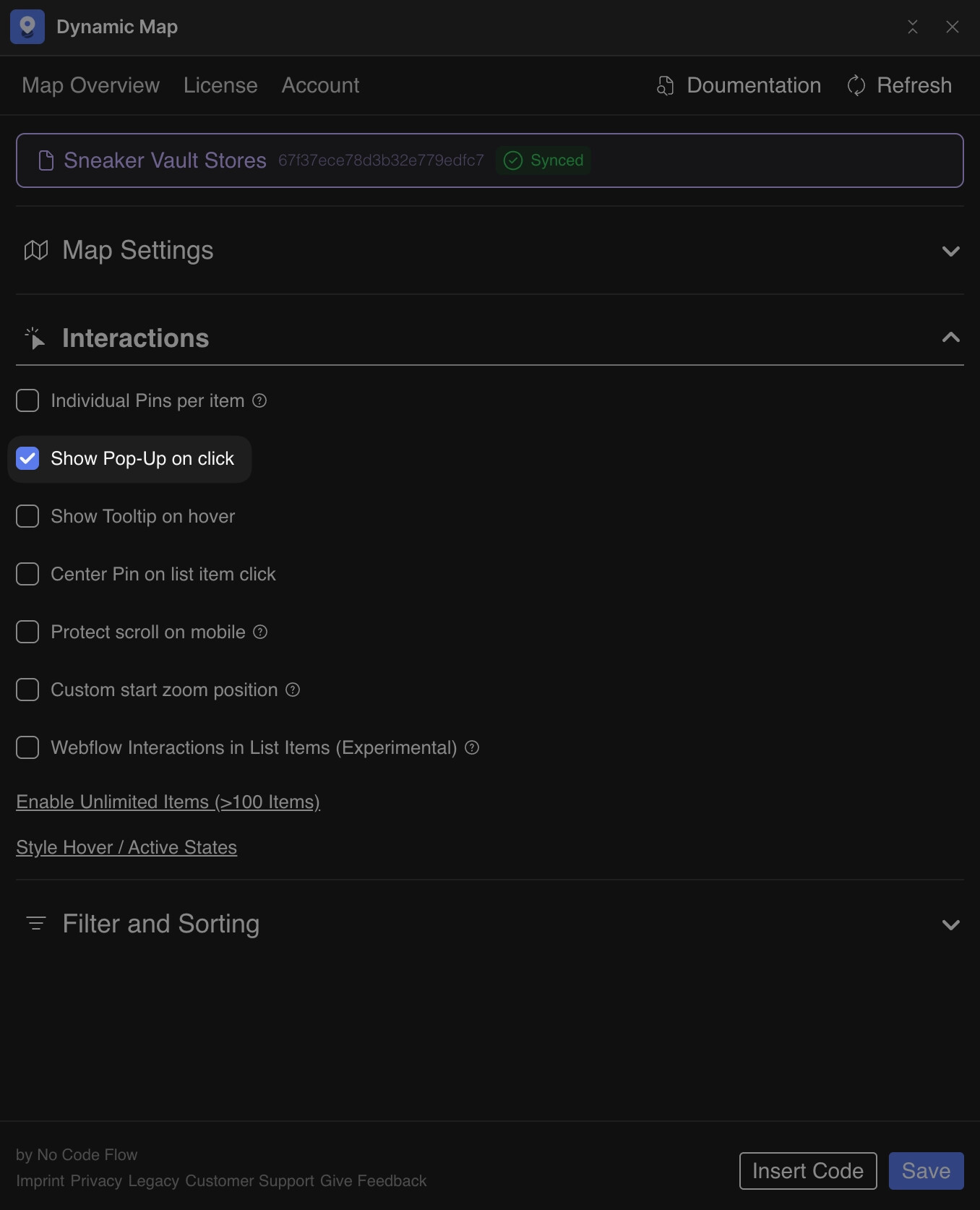
Enable in Dynamic Map App
- In Dynamic Map App, go to Map Interactions and activate Pop-Up.
- Press Save.
Elements and Attributes
Pop-up Content (ncf="mappopupcontent"): Contains all pop-up content. Do not delete or duplicate.
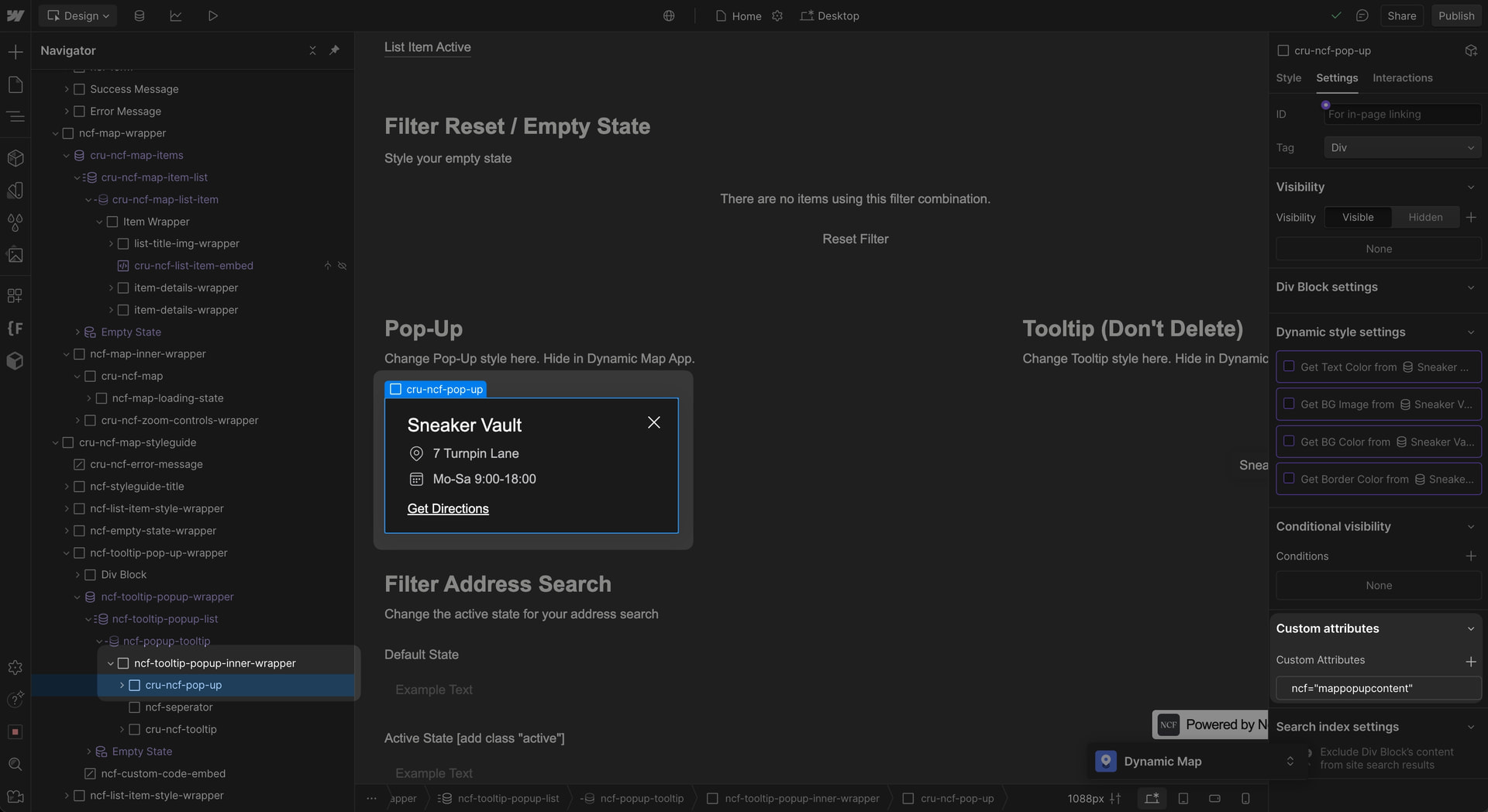
cru-ncf-pop-up with the ncf=mappopupcontent attribute.Close Button (ncf="mappopupclose"): Closes the pop-up on click. Clicking outside also closes it.
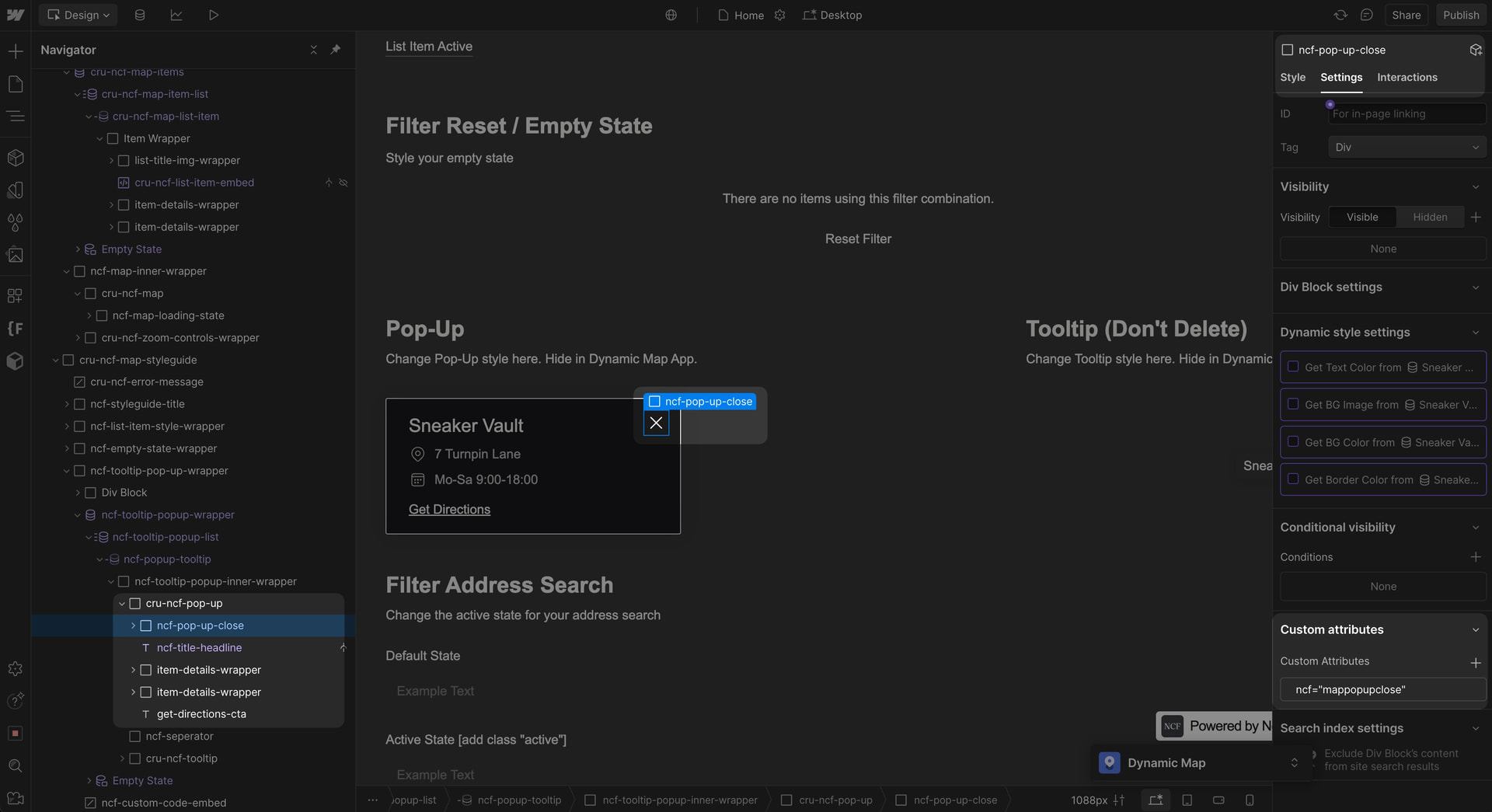
ncf=mappopupclose.💡 Everything inside the pop-up can be styled directly in Webflow. For hover-based info, see Map Tooltip on Hover.
Practical Tips
- The pop-up collection list must have the same sort order as the main list. Dynamic Map matches pop-up content to pins by position. If the two lists are sorted differently, pop-ups will show the wrong content for each pin. Always check that sort order and filters are identical across both collection lists in Webflow Designer.
- Place a Favorite button inside the pop-up for maximum usability. Copy the ncf-favorit-button element from your map item list (if Favoriting is enabled) and paste it inside the cru-ncf-pop-up element. This lets users save a location directly from the pop-up detail view.
- Users can close the pop-up by clicking outside it or clicking the pin again. You don’t need to add custom close logic. Dynamic Map handles dismissal automatically. Style the ncf-popup-close element if you want a visible close button, it’s optional but recommended for mobile users.
Use Cases
- A real estate map where clicking a property pin shows photos, price, number of rooms, and a ‘Book a Viewing’ button.
- A restaurant guide where clicking shows the menu link, cuisine type, opening hours, and a reservation button.
- A store locator where clicking a branch shows the full address, phone number, and a ‘Get Directions’ link.
- A travel guide where clicking an attraction reveals a description, category, and ‘Learn More’ link to a dedicated page.
