
Last updated:
August 8, 2026
Locations Displayed Wrong and Below West Africa
If your map pins are all clustered at a single point in the ocean near West Africa, at latitude 0°, longitude 0°, it means your CMS items don’t have valid coordinate values in their Latitude and Longitude fields. The coordinate 0°N, 0°E is the mathematical origin of the global coordinate system, and it’s the default position Dynamic Map uses when no valid coordinates are found. The fix is straightforward: add real latitude and longitude values to your CMS items and the pins move immediately to their correct positions.
This is the most common issue for new Dynamic Map users. It typically happens when a CMS collection is newly created, when items were imported via CSV without the coordinate columns, or when coordinate fields were added to an existing collection after the initial data entry.
Look Up the Correct Coordinates
Use a tool like latlong.net. Type in your address to get the correct latitude and longitude values.
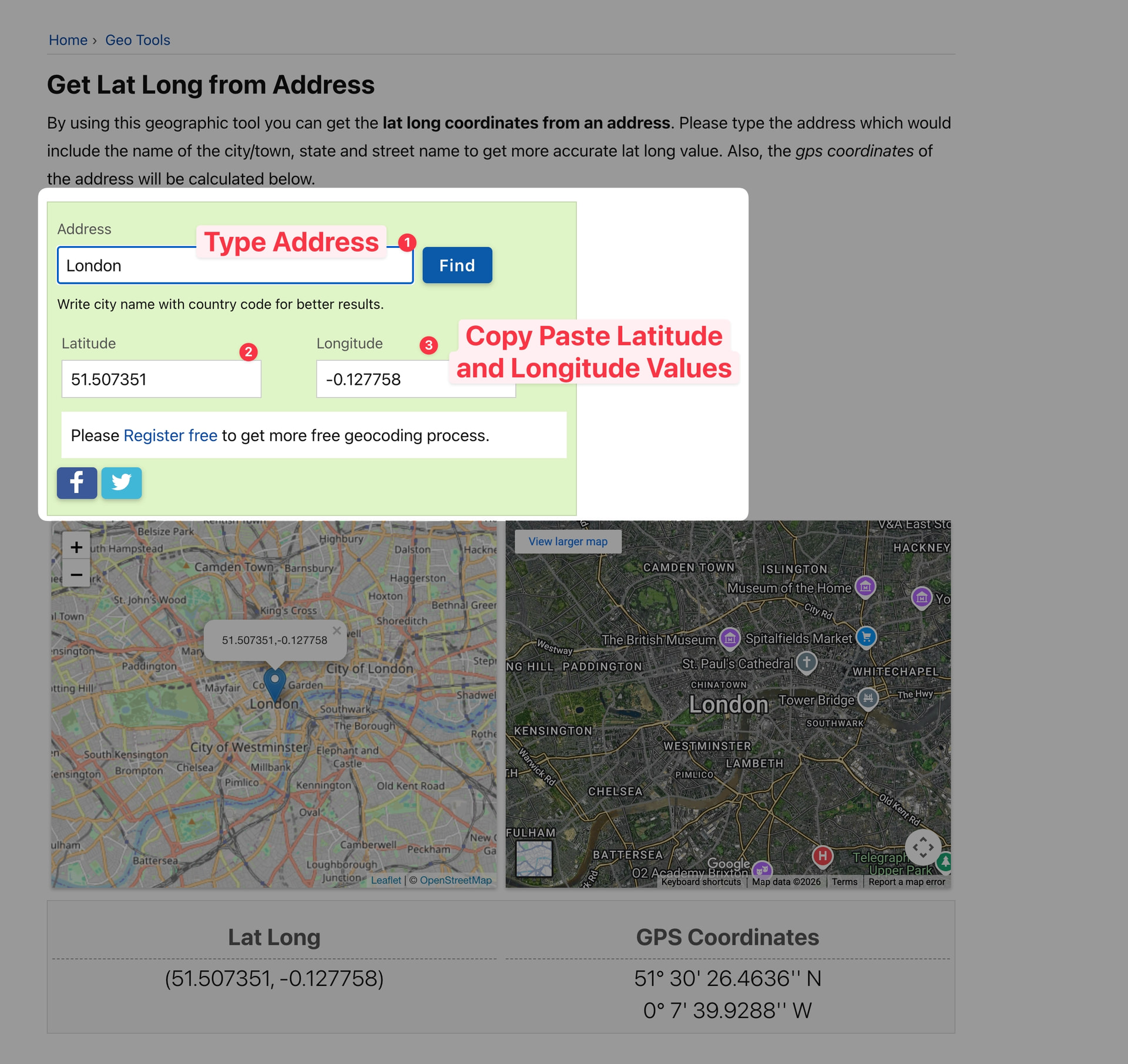
Insert Values into Webflow CMS
Paste the correct latitude and longitude values into the corresponding text fields in your Webflow CMS collection items.
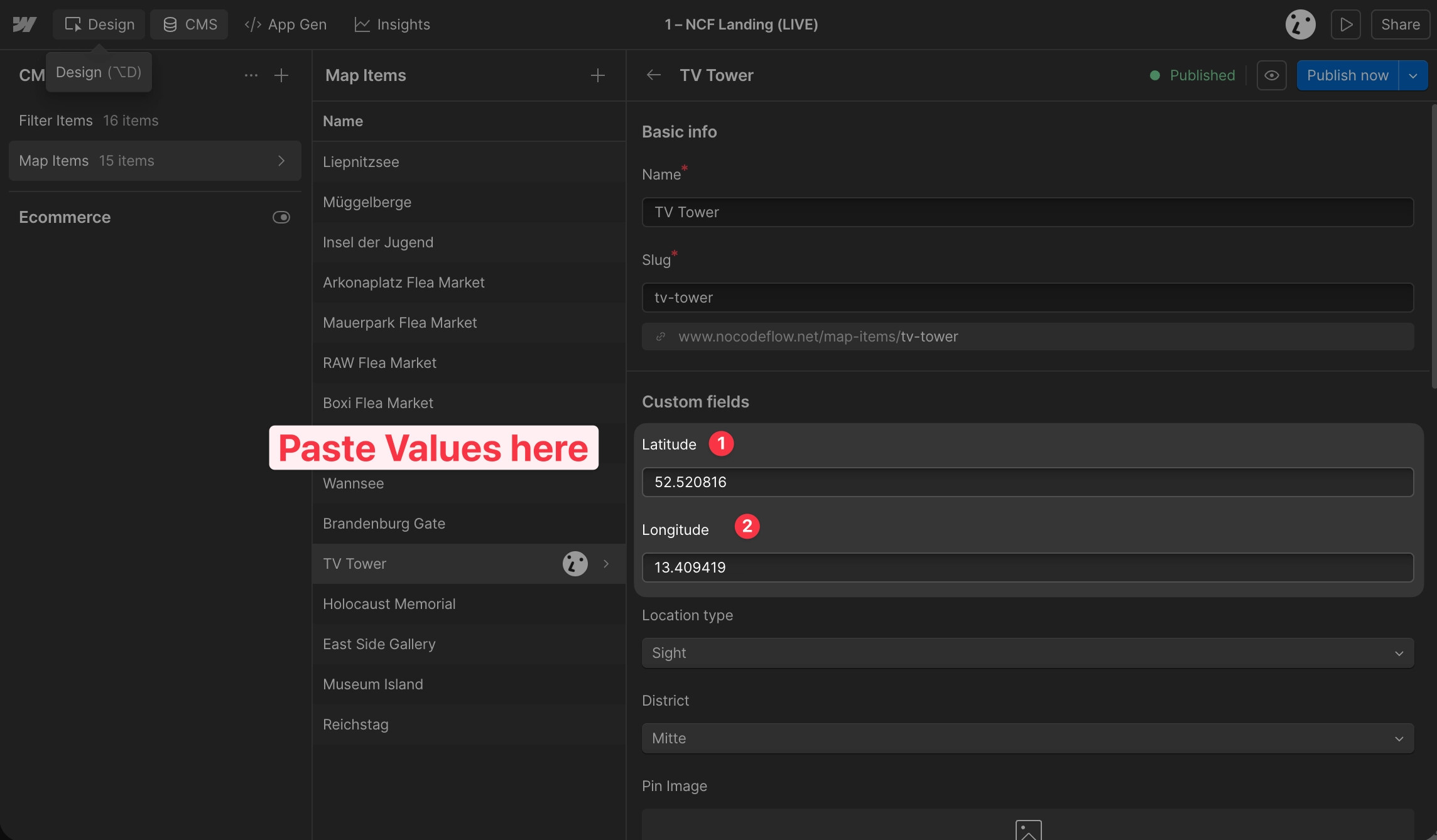
💡 See the 5 Minute Quick Start for a reminder on how to set up latitude and longitude fields correctly from the beginning.
Practical Tips
- The fastest fix for many items is CSV import. Export your Webflow CMS collection as a CSV, open it in a spreadsheet, and add a Latitude and Longitude column. Use a tool like latlong.net (address lookup) or a bulk geocoding service to populate the coordinates, then re-import via Webflow’s CSV import feature. This is much faster than editing each item individually.
- If only some pins are near West Africa, filter by empty coordinate fields. In your Webflow CMS collection editor, filter items where Latitude or Longitude is empty. This quickly surfaces the specific items that need attention, without having to check each record manually.
- Prevent this in future by documenting the requirement for collaborators. Add a note to your Webflow collection’s editor interface reminding collaborators that both Latitude and Longitude must be filled in for any new location item to appear on the map.
