
Last updated:
May 28, 2026
Live Filtering: Show List Items based on Map View
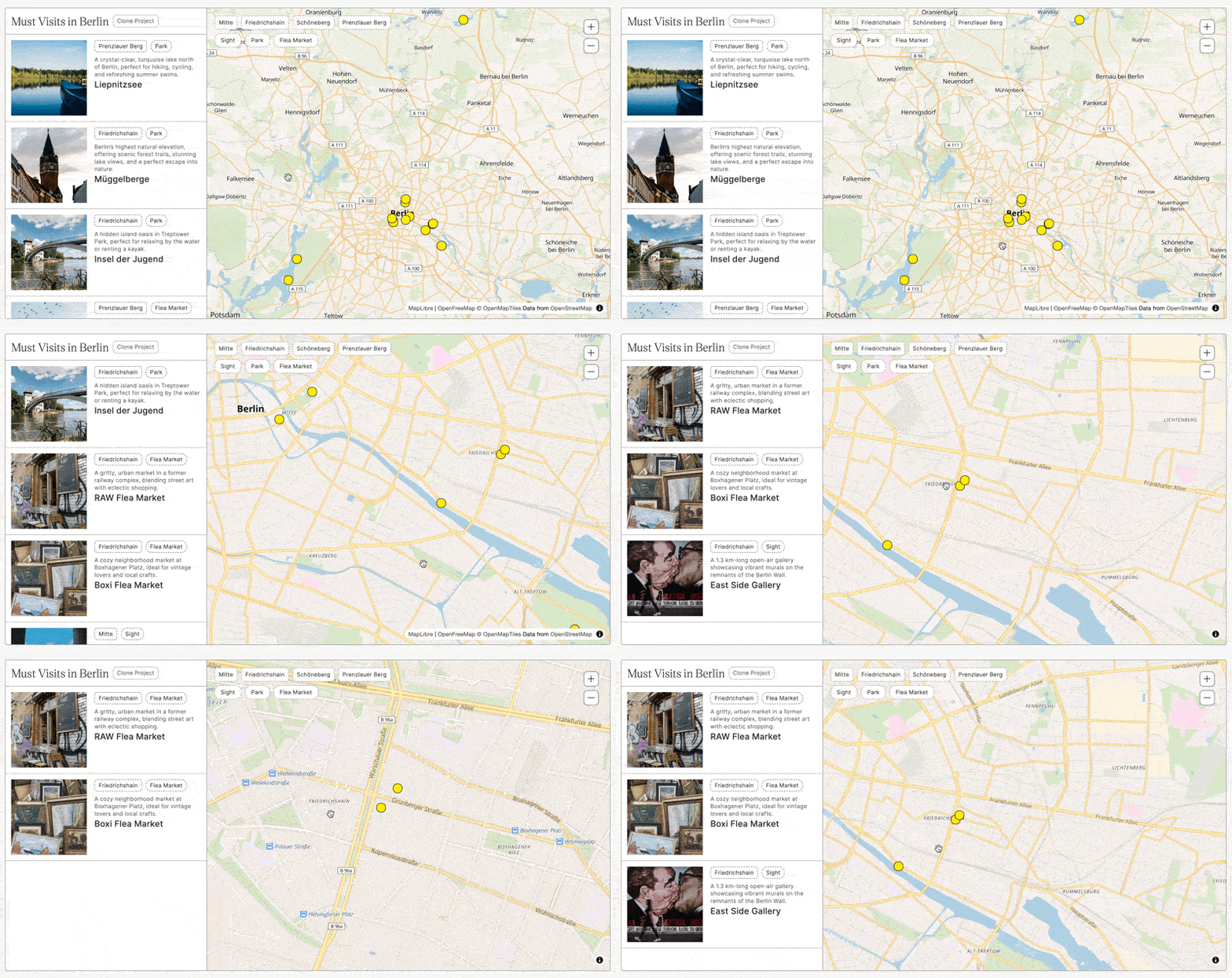
Live Filtering makes your map item list automatically show only the locations currently visible on the map. As a user pans or zooms, the list updates instantly. No button press, no page reload. This creates a tight, intuitive connection between the map and the list: whatever the user sees on the map, they see in the list. It’s one of the most user-friendly interaction patterns in modern map interfaces, and it’s how professional store locators and real estate platforms give users a seamless sense of exploring a geographic area.
When combined with the Map Items Count feature, live filtering also lets you show users exactly how many results are currently visible, for example ‘14 locations in this area’, giving constant, reassuring feedback as they navigate.
Make your item list show only the items currently visible within the map’s viewport. As the user pans or zooms, the list updates automatically.
Enable in Dynamic Map App
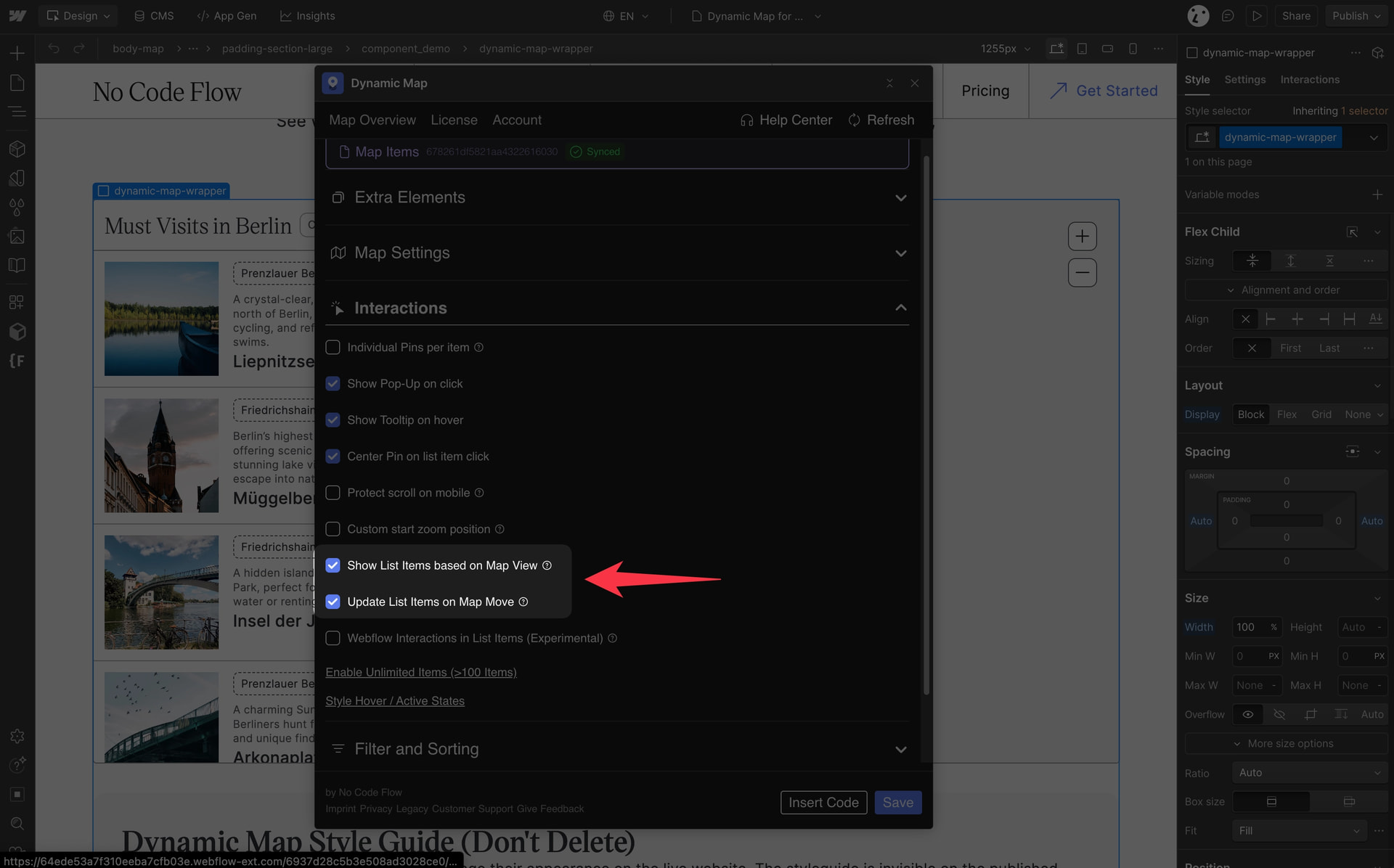
- Go to Interactions and enable Show List Items based on Map View.
- Optionally enable Update List Items on Map Move for more responsive filtering during panning.
Practical Tips
- Pair it with Map Items Count for the best UX. Enable the visible count (ncf=’visiblecount’) on a text element near your list to show users a live result count as they pan. The message ‘8 locations in this area’ provides constant orientation and sets expectations before a user scrolls the list.
- Update List Items on Map Move adds responsiveness at a cost. Enabling this option updates the list on every pan event, which feels more live but can feel jittery on mobile or on maps with many items. Test both settings and choose based on your target device and audience.
Use Cases
- A national store locator where users navigate to their city and the list updates automatically to show only nearby branches.
- A property map where panning to a new neighbourhood instantly shows only the homes available in that area.
- A restaurant guide where zooming into a specific street reveals only the restaurants on or near that block.
- Any map where giving users a sense of ‘what’s near me’ is a core part of the experience.
