
Last updated:
June 4, 2026
Zoom Position on Page Load
By default, Dynamic Map sets the viewport on page load to automatically fit all your CMS pins within view. This works well when your locations are spread across a region and you want users to see the full picture immediately. But for maps with a specific geographic focus, or for maps where you want to create a specific mood or emphasis on load, setting a custom start position gives you precise control over what the user sees when they first arrive.
A custom zoom position is set by three values: latitude and longitude (the center point of the map), and a zoom level (how close or far the camera starts). These are configured in Dynamic Map App’s Interactions panel.
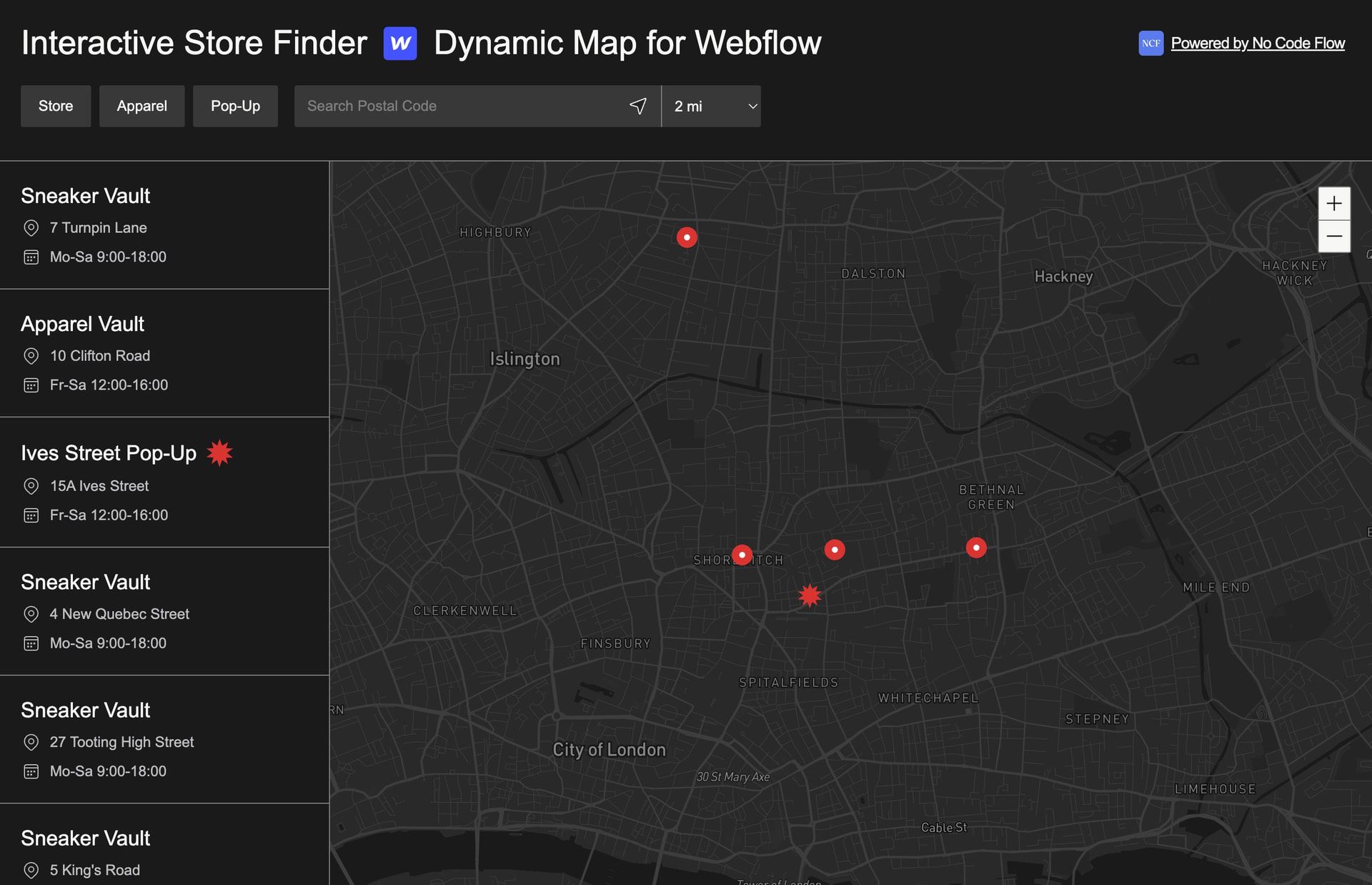
Set a custom start zoom position to display your preferred map view on page load. By default, Dynamic Map fits all pins into view.
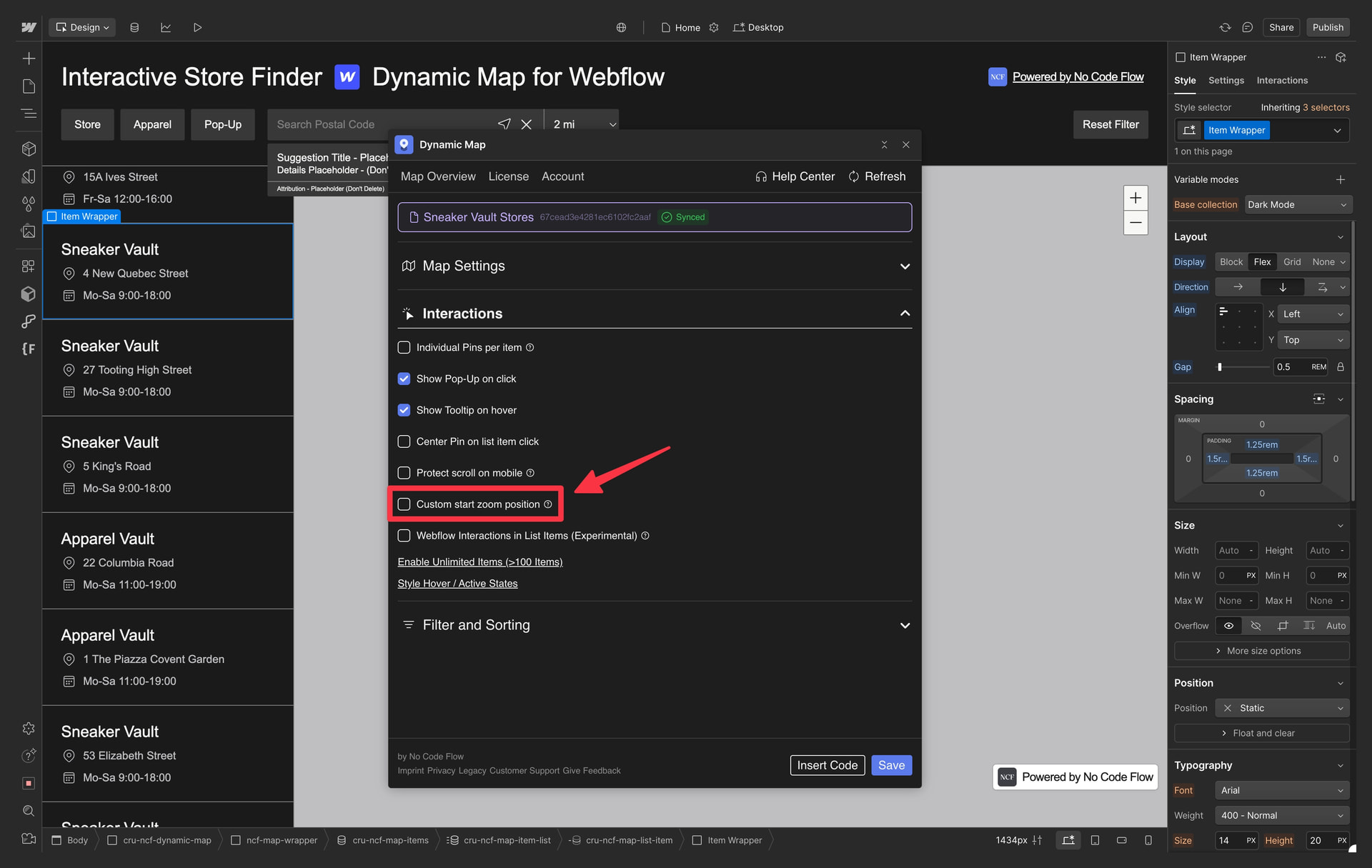
Enable in Dynamic Map App
Enable Custom start zoom position in the Interactions panel.
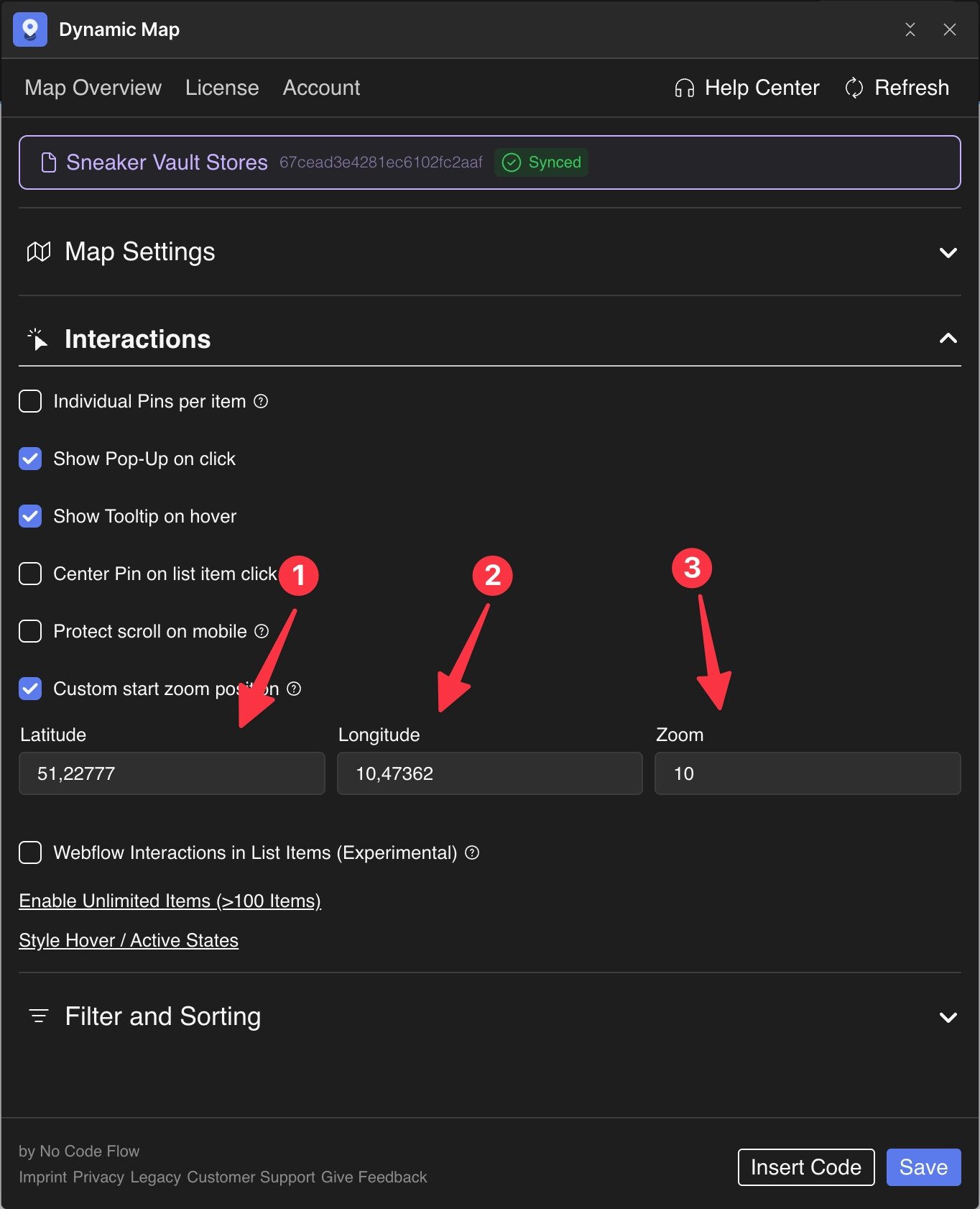
Fill in Geo Data
- Insert Latitude
- Insert Longitude. Use latlong.net or similiar to look up any location.
- Select your desired Zoom Level.
Practical Tips
- Find coordinates quickly with latlong.net or Google Maps. Type any address into latlong.net and get the exact latitude and longitude instantly. Alternatively, right-click anywhere on Google Maps and the coordinates appear in the created hyperlink.
- Reference zoom levels: 4 = country, 8 = region, 12 = city, 15 = street. These are approximate, and the exact zoom that looks best depends on your specific map area and the aspect ratio of your map container.
- Custom zoom position is the initial state only. If Auto Zoom to Filtered Location is enabled, the map will move away from the custom start position when a filter is applied. The custom position is only where the map begins, not where it stays.
Use Cases
- A neighbourhood property map that should always open centered on that specific neighbourhood, regardless of where individual pins are.
- A city restaurant guide that should always frame the city center prominently, even if some restaurants are on the outskirts.
- A country-wide store locator that should open fully zoomed out to show all regions before a user begins filtering.
- A festival map were you would to show a very detailed overview of stages and bars.
