
Last updated:
May 23, 2026
Why is my Category Filter not Working?
What You’ll See
Your category filter chips are visible on the page but produce no results when clicked, or clicking a chip doesn’t change which pins are showing on the map. In some cases, certain filter options may be missing entirely from the filter bar.
Likely Cause
There are two common causes. The first is that your filter chips have become out of sync with your CMS option field values after a rename, addition, or deletion. The second is that one or more CMS items have an empty option field. This silently breaks the entire filter for all items, not just the one with the missing value.
If your category filter stops working or shows no results, open Dynamic Map App to diagnose the issue. There are two common causes, and each has a straightforward fix.
Option 1: Filter is Out of Sync
If you’ve added, renamed, or removed option field values after creating the filter, the filter chips can become out of sync with your CMS data. Dynamic Map App flags these with an Unsynced badge.
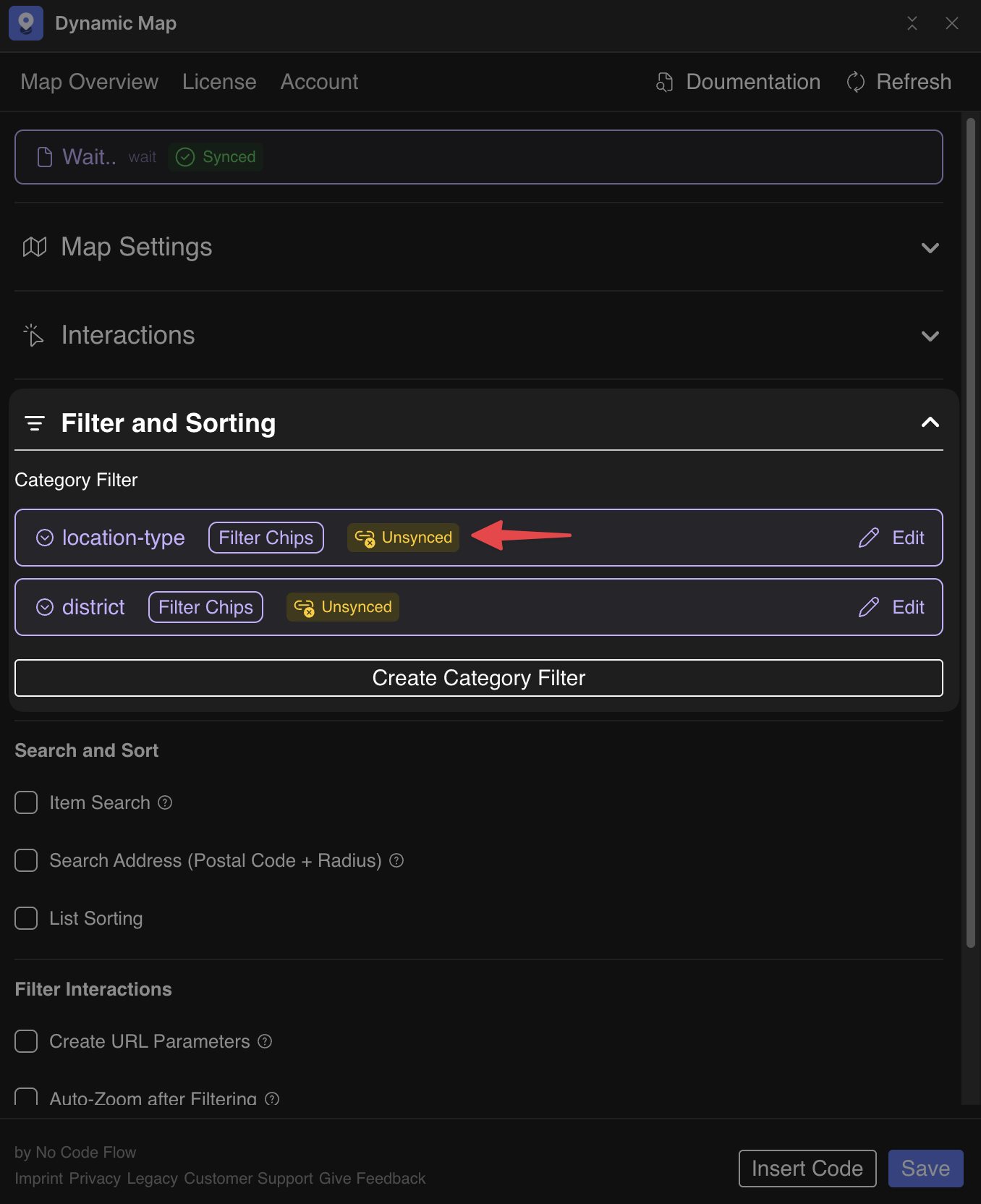
To fix it:
- Click Edit on the out-of-sync filter and add the missing filter chips.
- Click Insert Code in Dynamic Map App to ensure the code snippet in your Webflow project is up to date.
See Map Category Filter for the full resyncing walkthrough.
Option 2: Empty Option Fields
If any CMS item has an empty option field value, the entire category filter stops working. Not just that one item. Every item must have a value assigned.
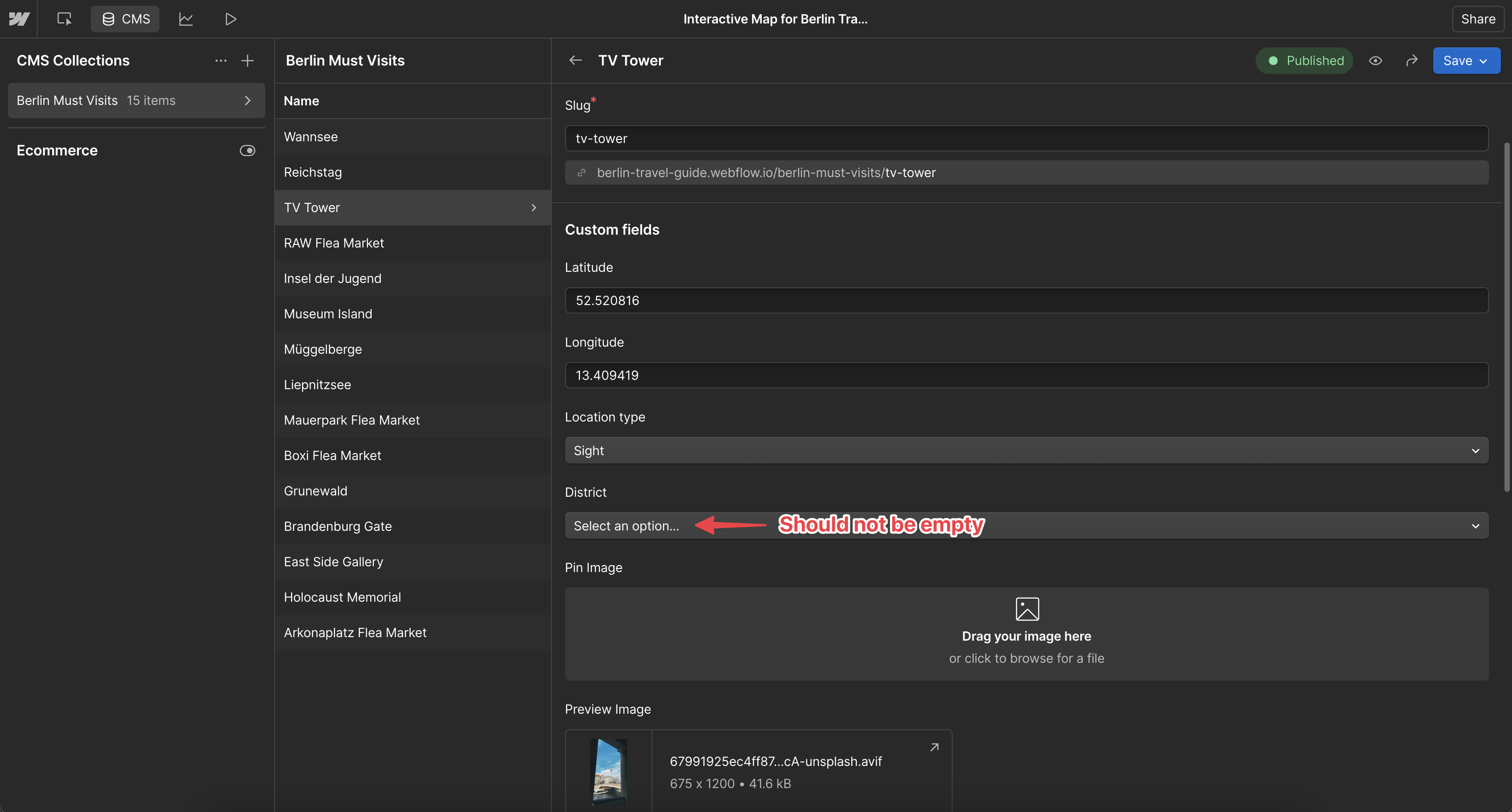
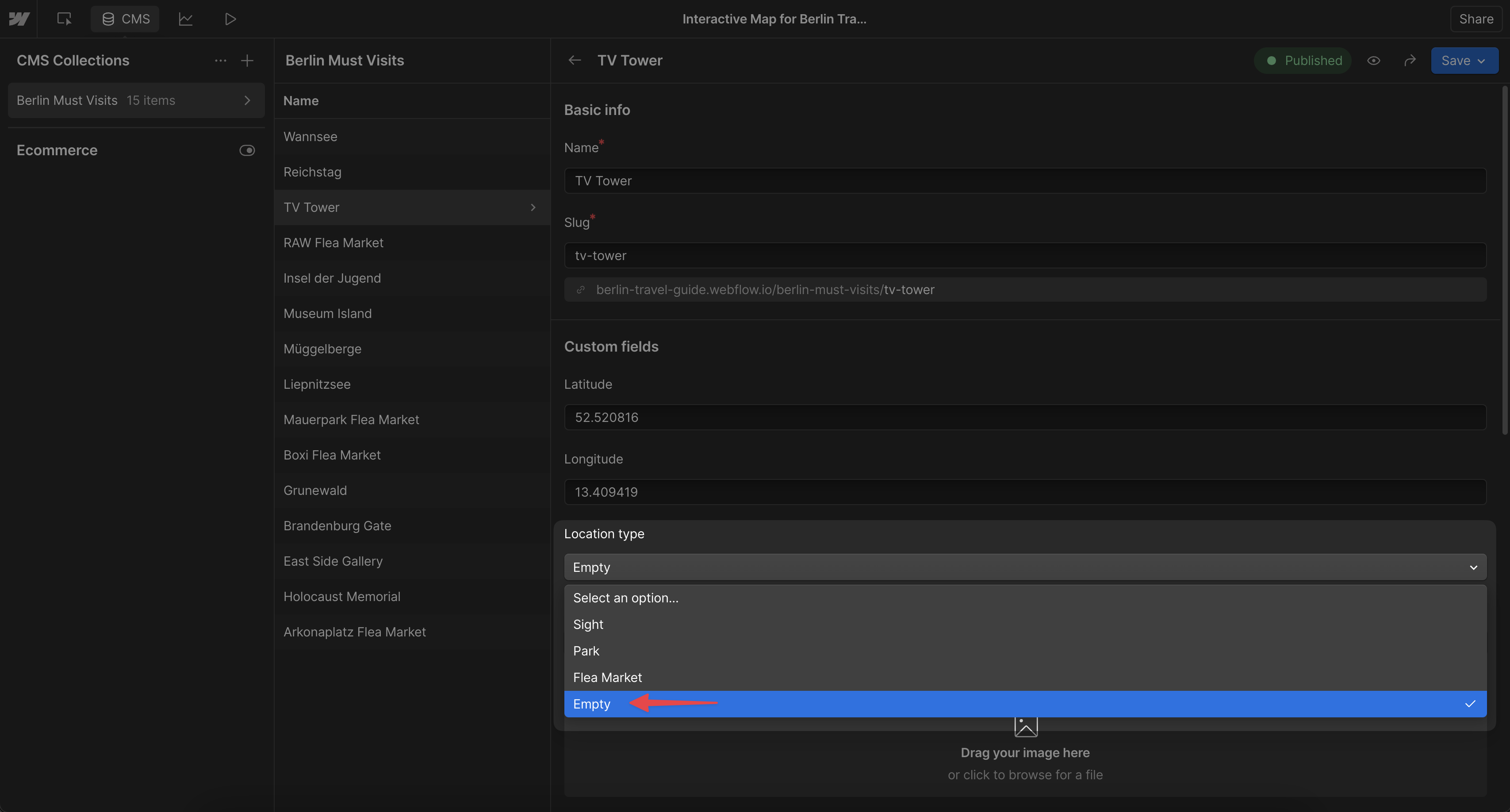
The fix: create a placeholder option called “empty”, assign it to every item without a real category value, and hide that chip from the map UI so visitors never see it.
Prevention
Always assign a value to every CMS item’s option field before publishing. Use a placeholder like “Other” for items that don’t fit any category. After renaming or adding option values, immediately open Dynamic Map App and resync any affected filter chips. Test your filter on your published staging site before every launch.
See Map Category Filter for the full filter setup guide.
