
Last updated:
June 4, 2026
Custom URL Parameters
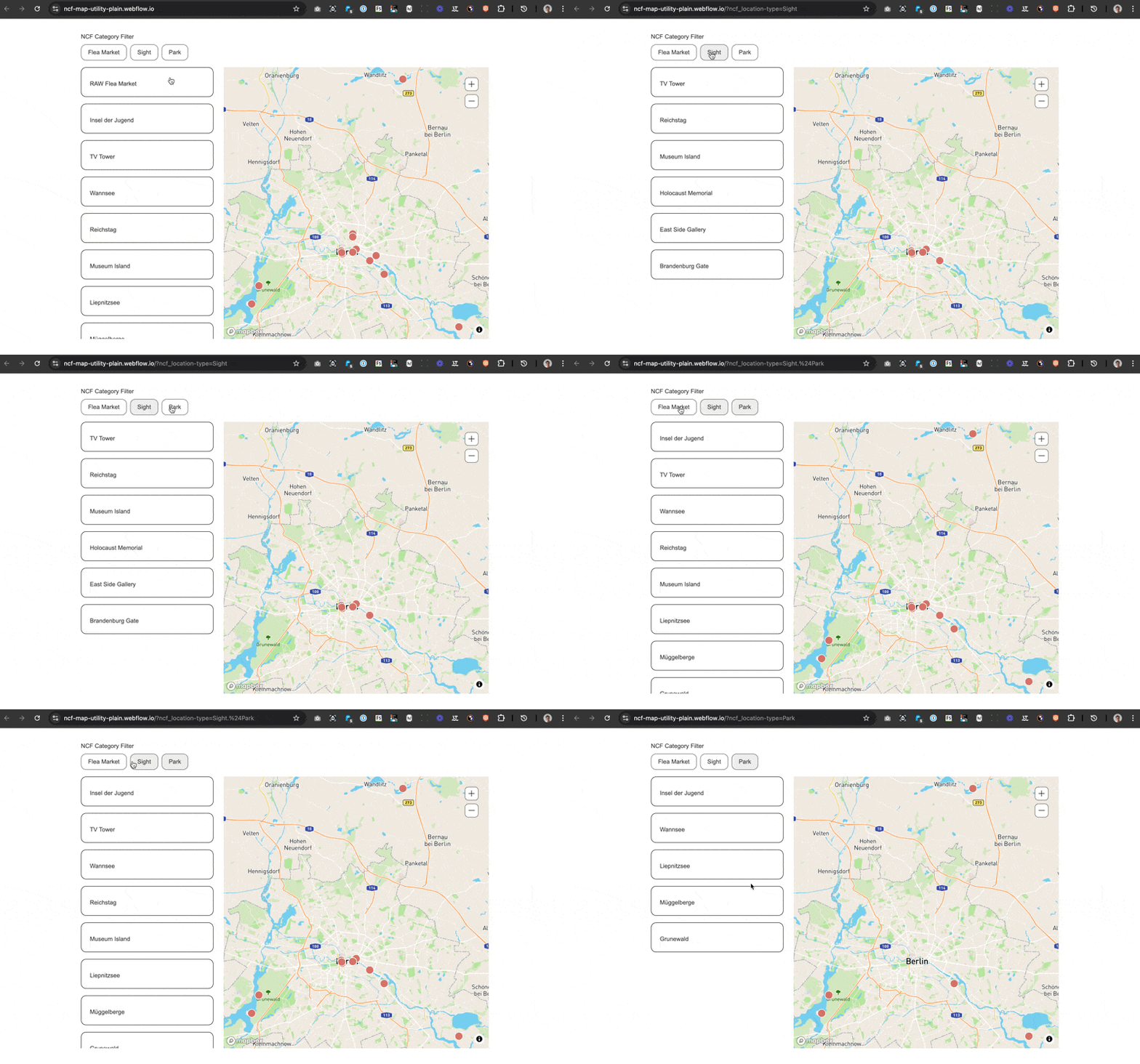
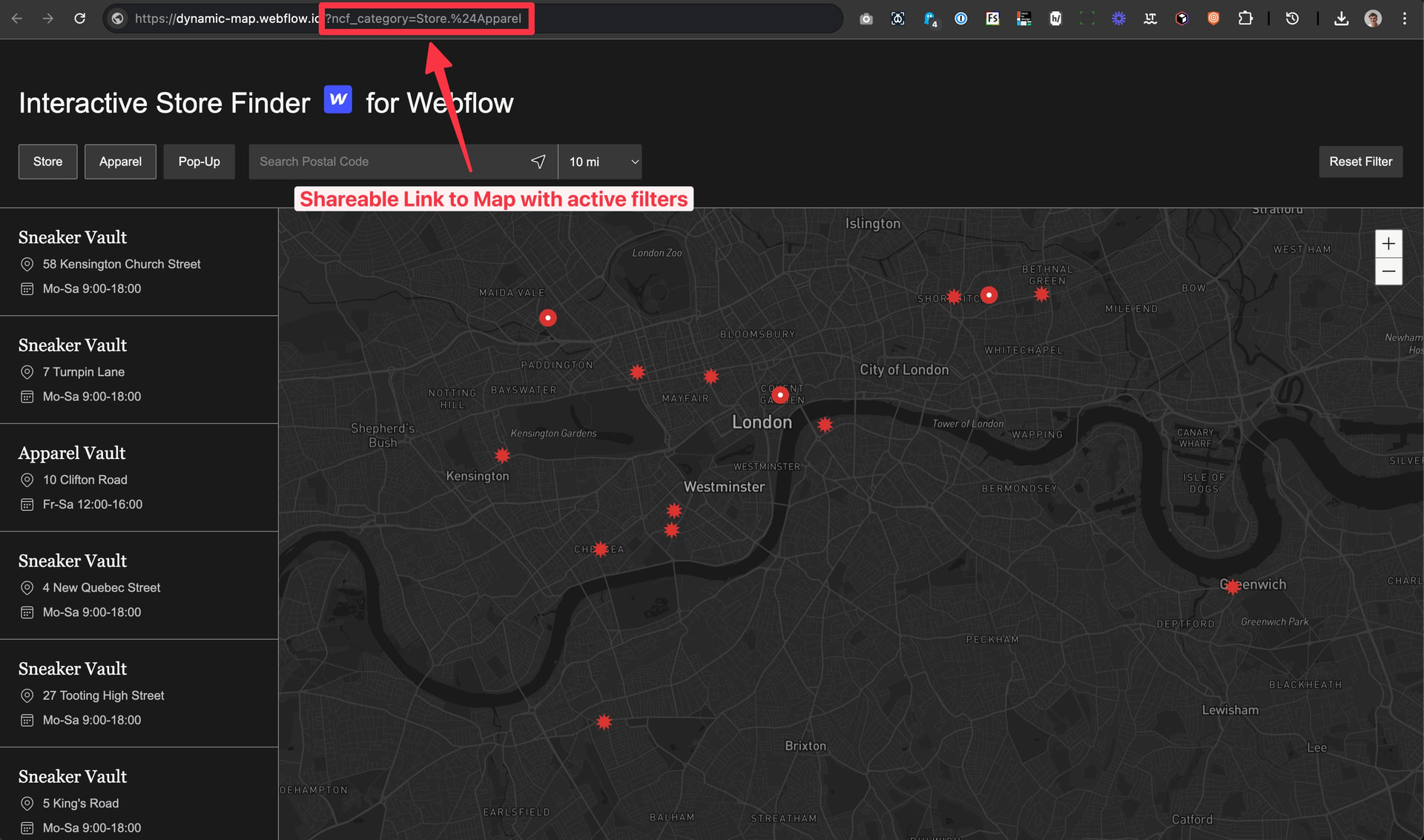
Custom URL parameters make your map’s filter state shareable and bookmarkable. When the feature is enabled, Dynamic Map automatically updates the page URL as users interact with filters, adding query string parameters that encode the current filter state. When someone opens that URL, the map loads with those filters already applied, exactly as the original user left it.
This is a zero-configuration feature for end users: they don’t need to do anything special to generate a shareable link. Dynamic Map builds it automatically as they filter.
Custom URL parameters let you deep-link to your map with a specific filter already active. Users can also share these filtered views.
Enable in Dynamic Map App
- Open Dynamic Map App.
- Navigate to Filter and Sorting and turn on Create URL Parameters.
- Press Save.
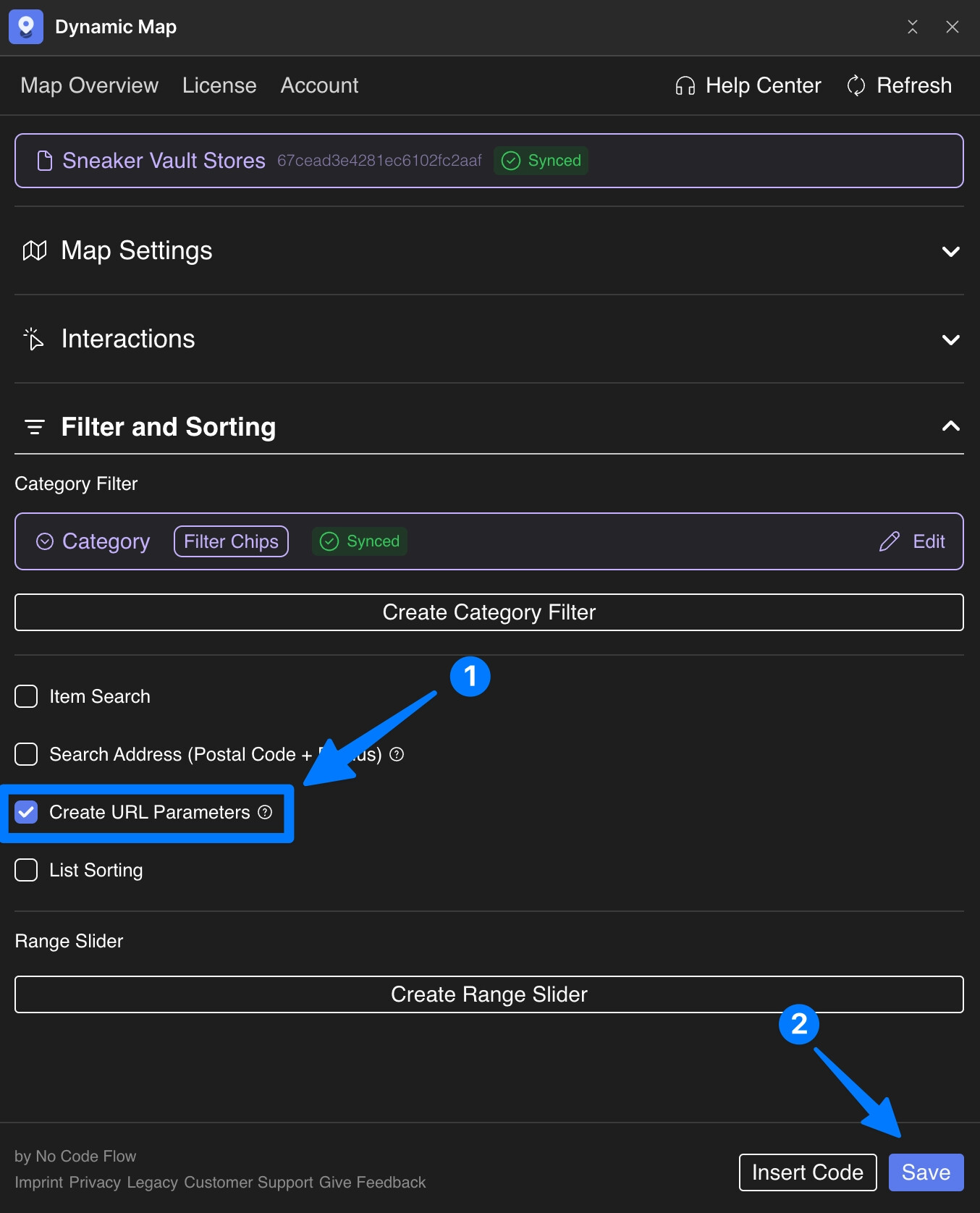
Once enabled, any active filters will automatically be reflected in the page URL, making the state shareable and bookmarkable.
💡 Works best when used together with the Address Search Filter or Map Category Filter
Use Cases
- A restaurant guide where a food blogger wants to share ‘All vegan restaurants in the city’ as a direct filtered link.
- A store locator where a sales team shares a pre-filtered link showing only stores in a specific region.
- A real estate map where an agent sends a client a link to a filtered search (e.g., 2-bedroom flats, under £500,000).
- A job board where a recruiter shares a filtered view of open roles by department or location.
- Any map where shareable, persistent filter states improve user workflow or marketing effectiveness.
