
Last updated:
June 4, 2026
Integrate with Memberstack
What This Integration Does
By default, Dynamic Map stores favorite items in the user’s browser (Guest Mode). With Memberstack connected, favorites are instead saved to the user’s Memberstack profile. They persist when the user logs in from a different device, clears their cache, or returns days later.
Requirements
- Dynamic Map with Favorite Items enabled.
- A Memberstack account
Setup Memberstack Integration
Step 1: Enable Favorite Items
Make sure you’ve set up Favorite Items in Dynamic Map App first. The ncf-favorit-button element must be present in your map item list.
Step 2: Add the Memberstack Script to your Webflow project
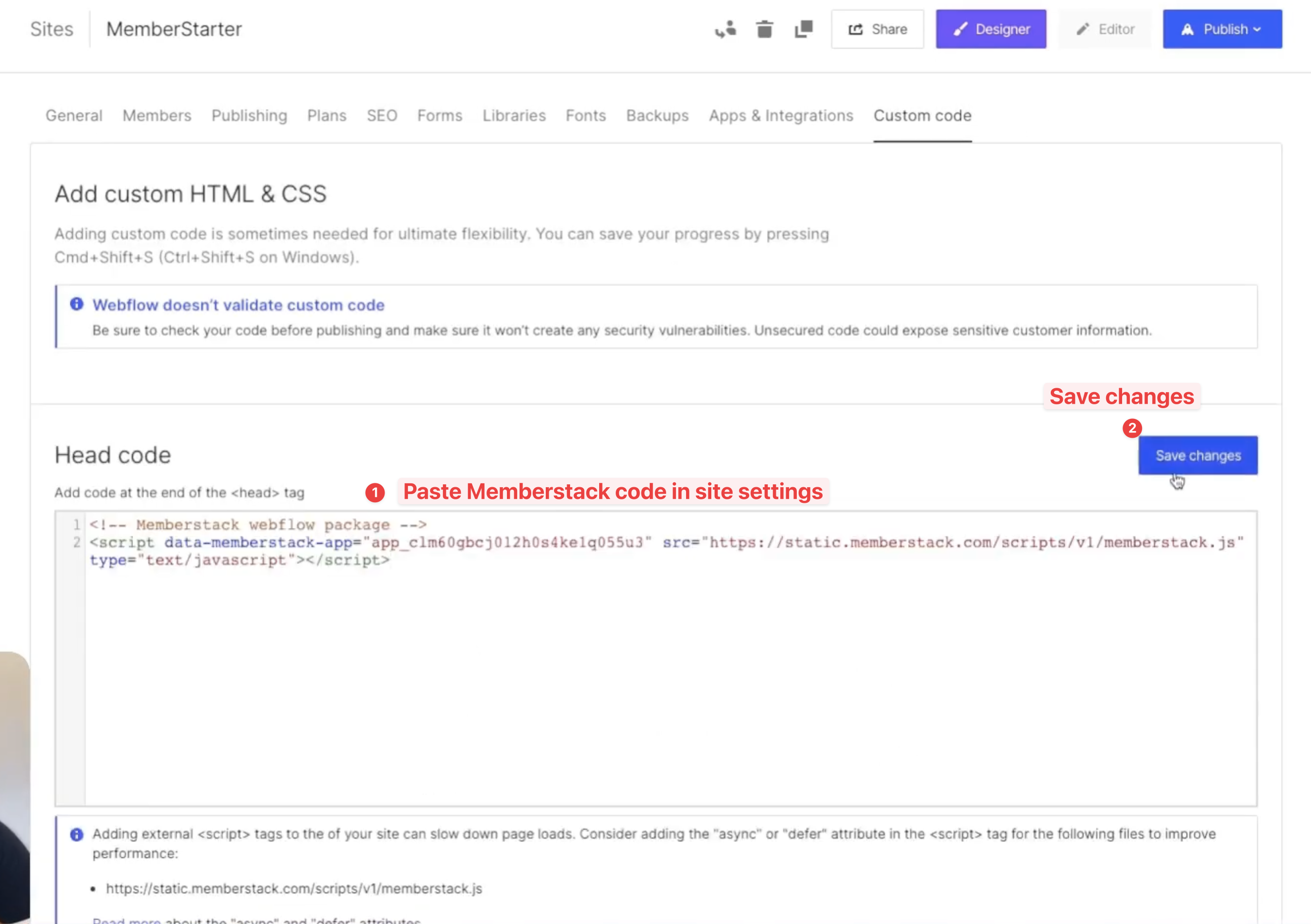
Add Memberstack script to your Webflow project. Never used Memberstack before? Take a look a this tutorial for a swift set-up guide.
Step 3: Enable Memberstack in Dynamic Map App
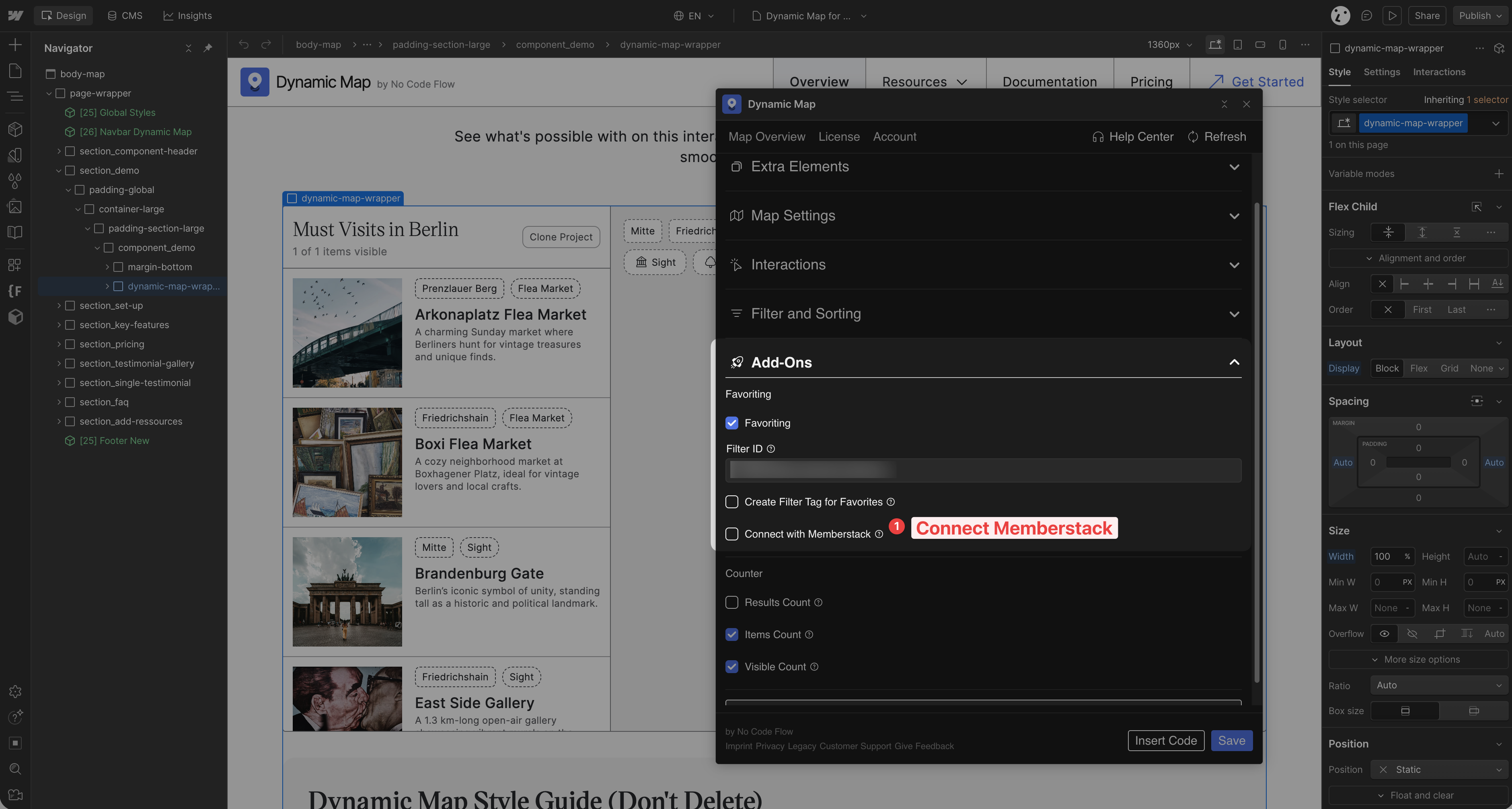
In Dynamic Map App, go to Add-Ons and enable Connect with Memberstack. Press Save.
Paste the Memberstack script into Webflow Site Settings > Custom Code > Head Code. You’ll find this script in your Memberstack dashboard.
Step 4: Test the Integration
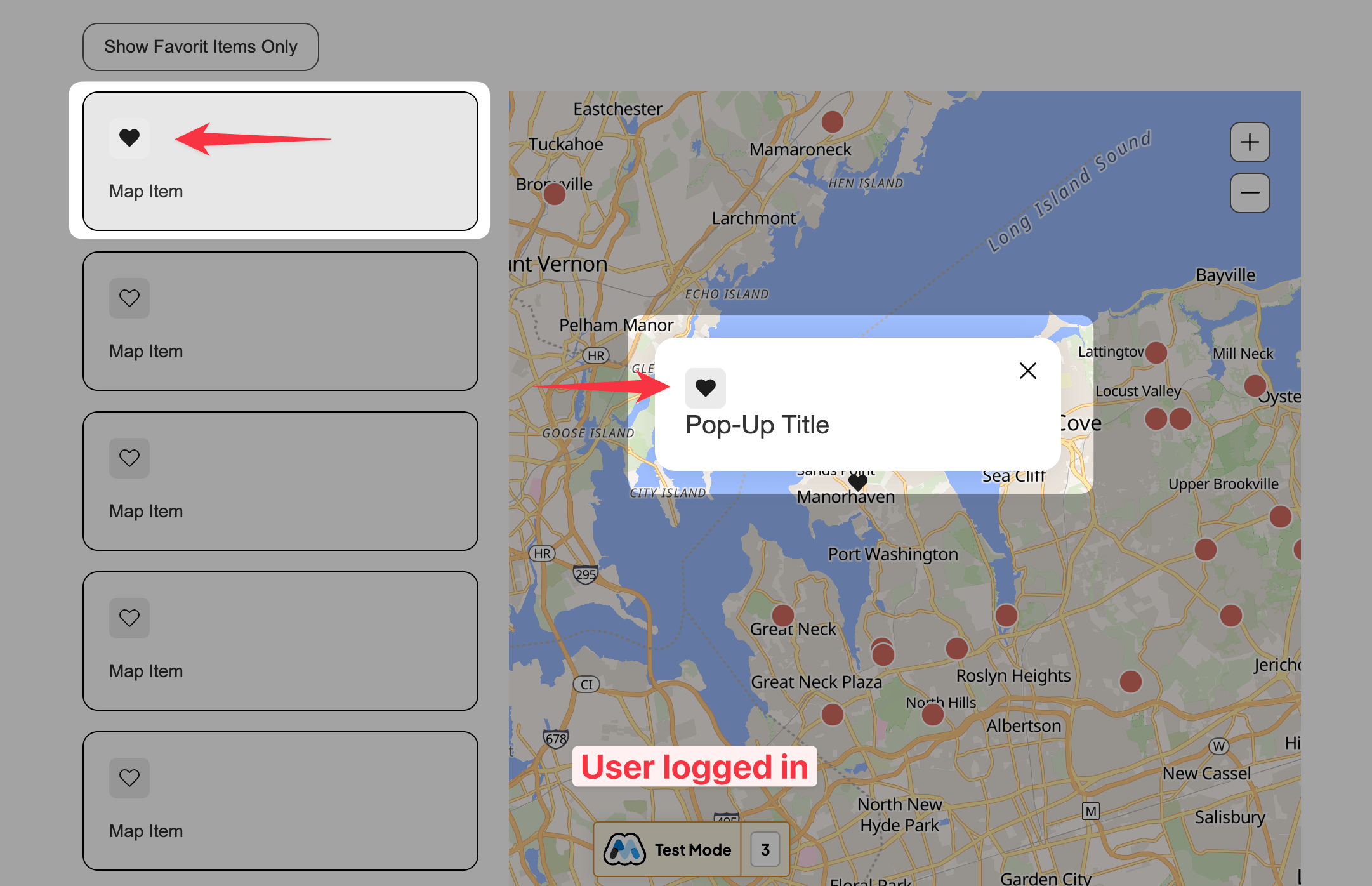
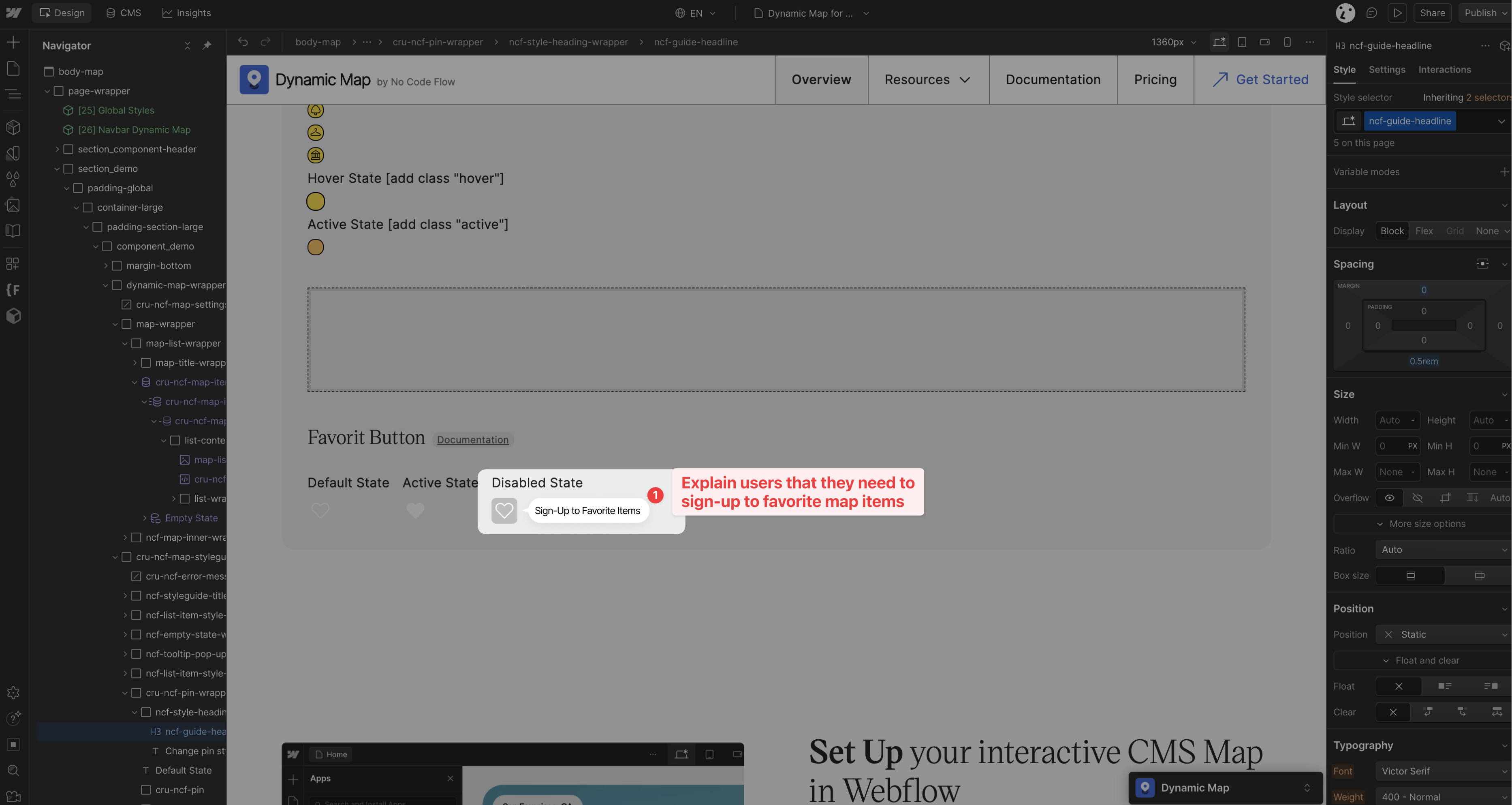
Publish your Webflow site and test by logging in and out. Logged-out users see the ncf-favorit-button in its disabled state. Logged-in users can save favorites that persist to their Memberstack profile.

Step 5: Style the Disabled State
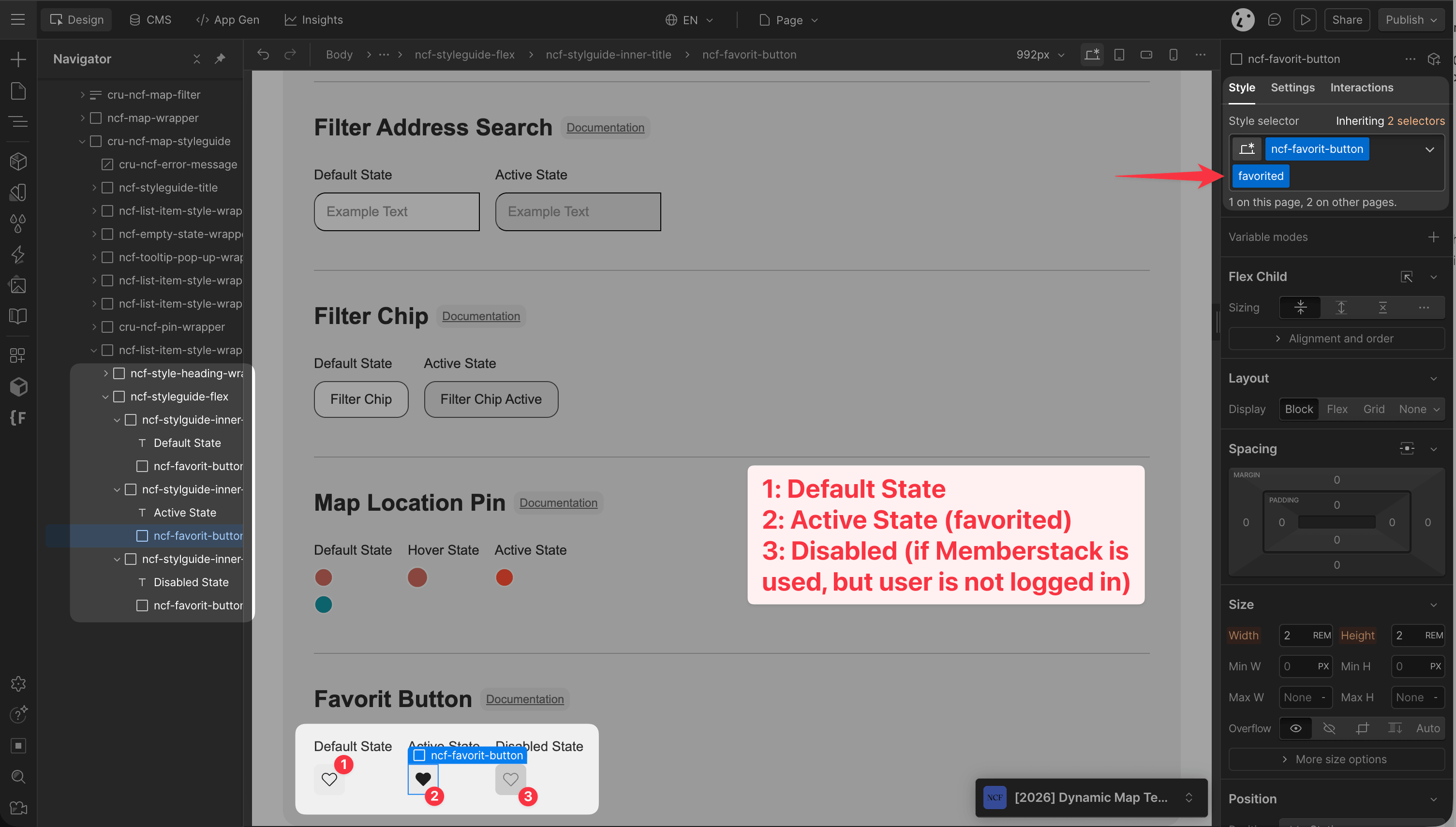
To style the disabled state of the favorite button, use the disabled combo class to the ncf-favorit-button in the Style Guide. This state is only shown to logged-out users. Add a label or tooltip to guide visitors towards signing up.
Practical Tips
- Always add a label or tooltip to the disabled state. Logged-out users see a non-functional favorite button with no explanation unless you add one. A short tooltip like “Log in to save favourites” dramatically improves the UX and conversion to sign-ups.
- Test in an incognito window to simulate the logged-out experience. Your own browser may remain logged in, so testing the disabled state requires a fresh session or incognito mode. Always verify both states before publishing.
- Guest favorites are not migrated on login. If a user saves favorites in Guest Mode and then logs into Memberstack, those local favorites are not automatically transferred to their profile. Consider this when communicating the feature to users.
About Memberstack
Memberstack is a membership and authentication platform that pairs naturally with Dynamic Map’s Favorite Items feature. When integrated, users who save favorite locations have those favorites persist to their Memberstack profile, so they remain available after logging in from a new device or clearing their browser cache. Guest mode (browser-local) favorites still work for logged-out users, but Memberstack adds persistent, account-level storage on top.
Use Cases
- A real estate platform where registered users save properties across sessions and devices.
- A restaurant guide where members maintain a personal shortlist of favorites they can share with friends.
- A travel map where logged-in users build a trip itinerary across multiple visits.
- Any map where persistent, account-linked saved items improve engagement and retention.
