
Last updated:
May 28, 2026
Map Address Search (Mapbox Only)
Address search lets users filter map items within a radius around a typed location. Requires Mapbox as the map provider. Configure radius units, min/max values, search pattern, and optional country restrictions in Dynamic Map App. Style the search input and elements using the ncf-address-search-input, ncf-address-current-location, and ncf-address-clear classes.
Intro
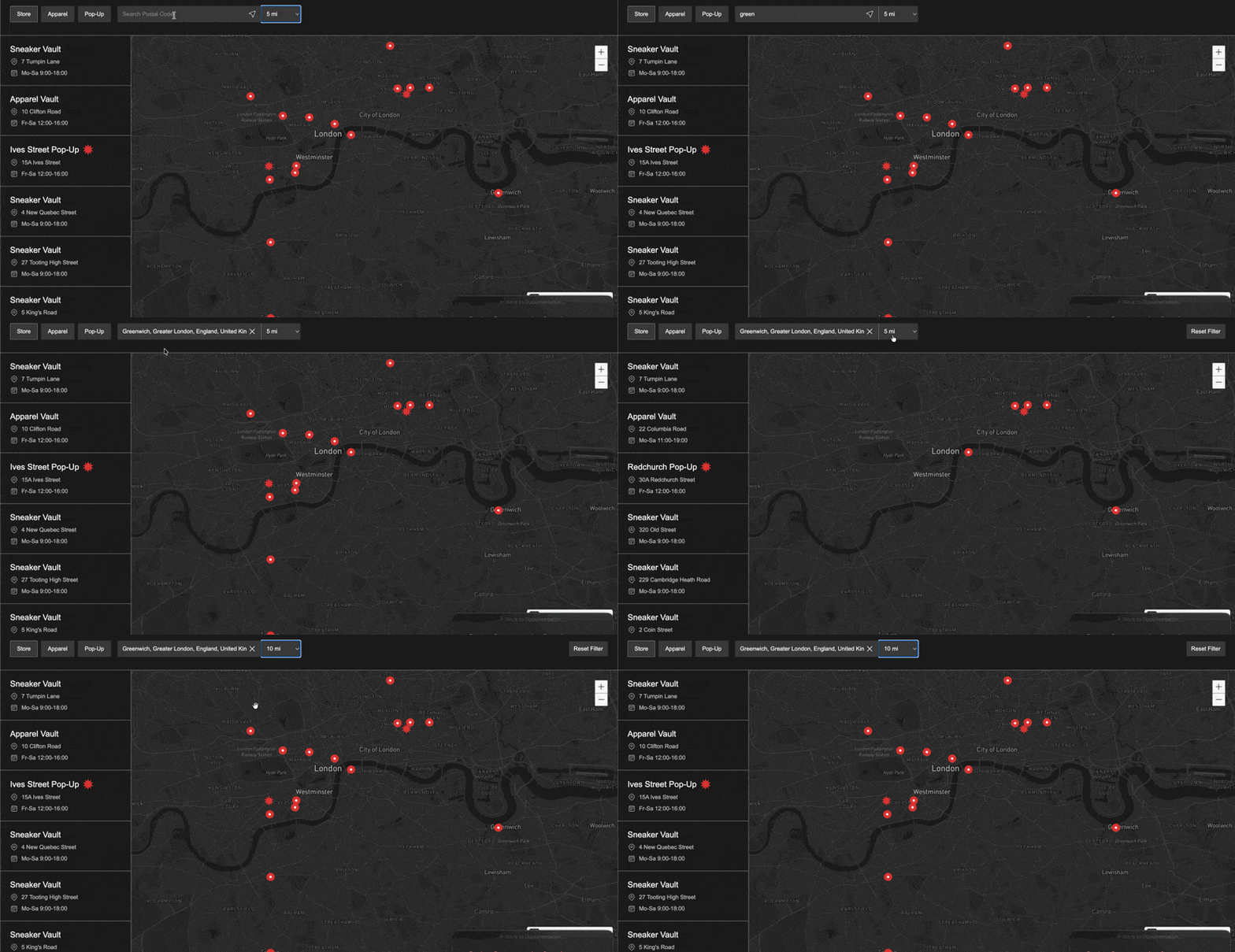
Enabling address search lets users filter location items within a radius around a selected location. This is especially useful for maps intended for users familiar with the area where the map items are located.
Implement with Dynamic Map
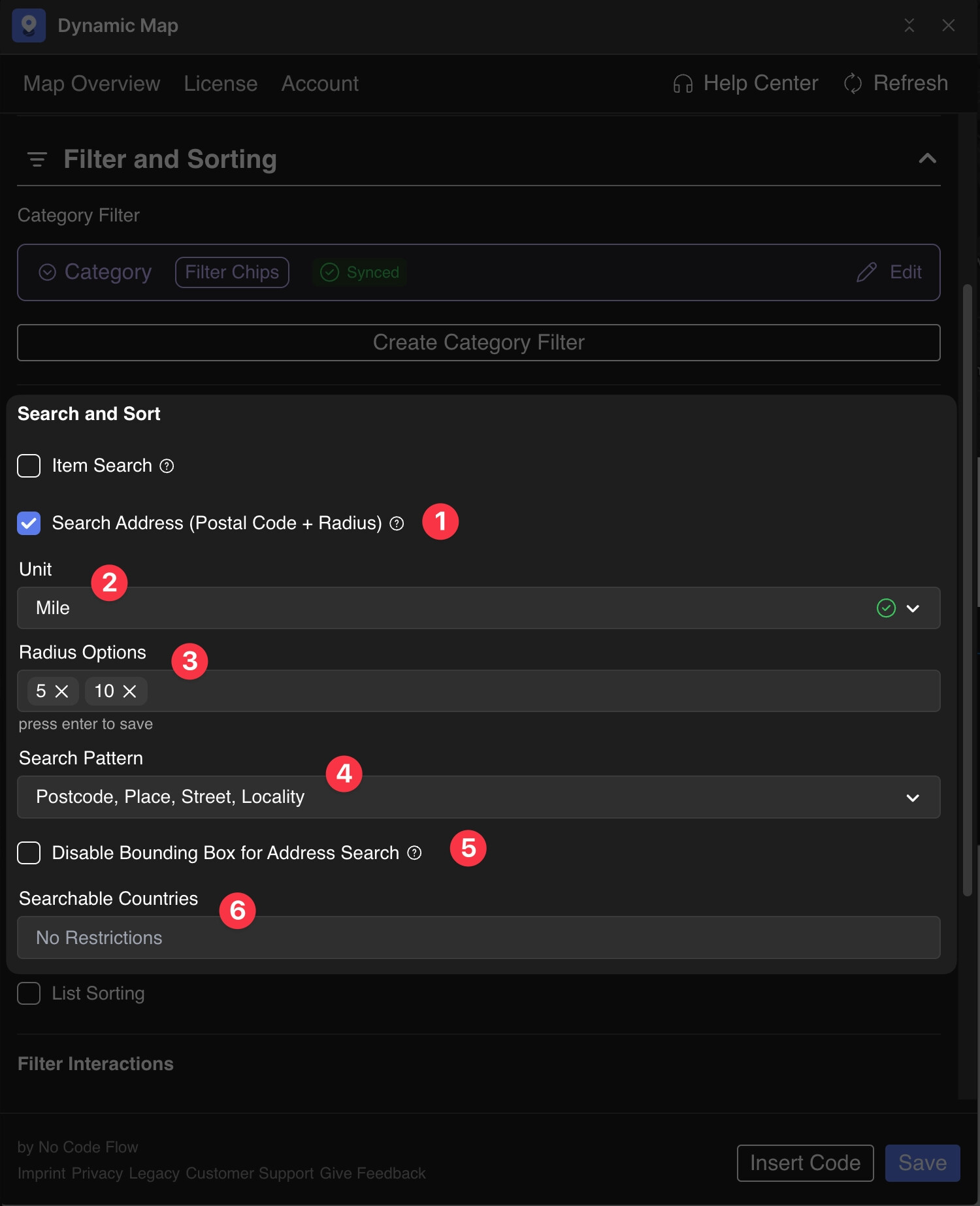
- Activate Address Search (Mapbox Only)
- Set desired unit for the radius search
- Set the values for the possible range of the searchable radius.
- Define the search pattern like Postcode or Street
- Disable the default bounding box that is set for the map
- Allow searching only for certain countries (ISO 3166-2 naming)
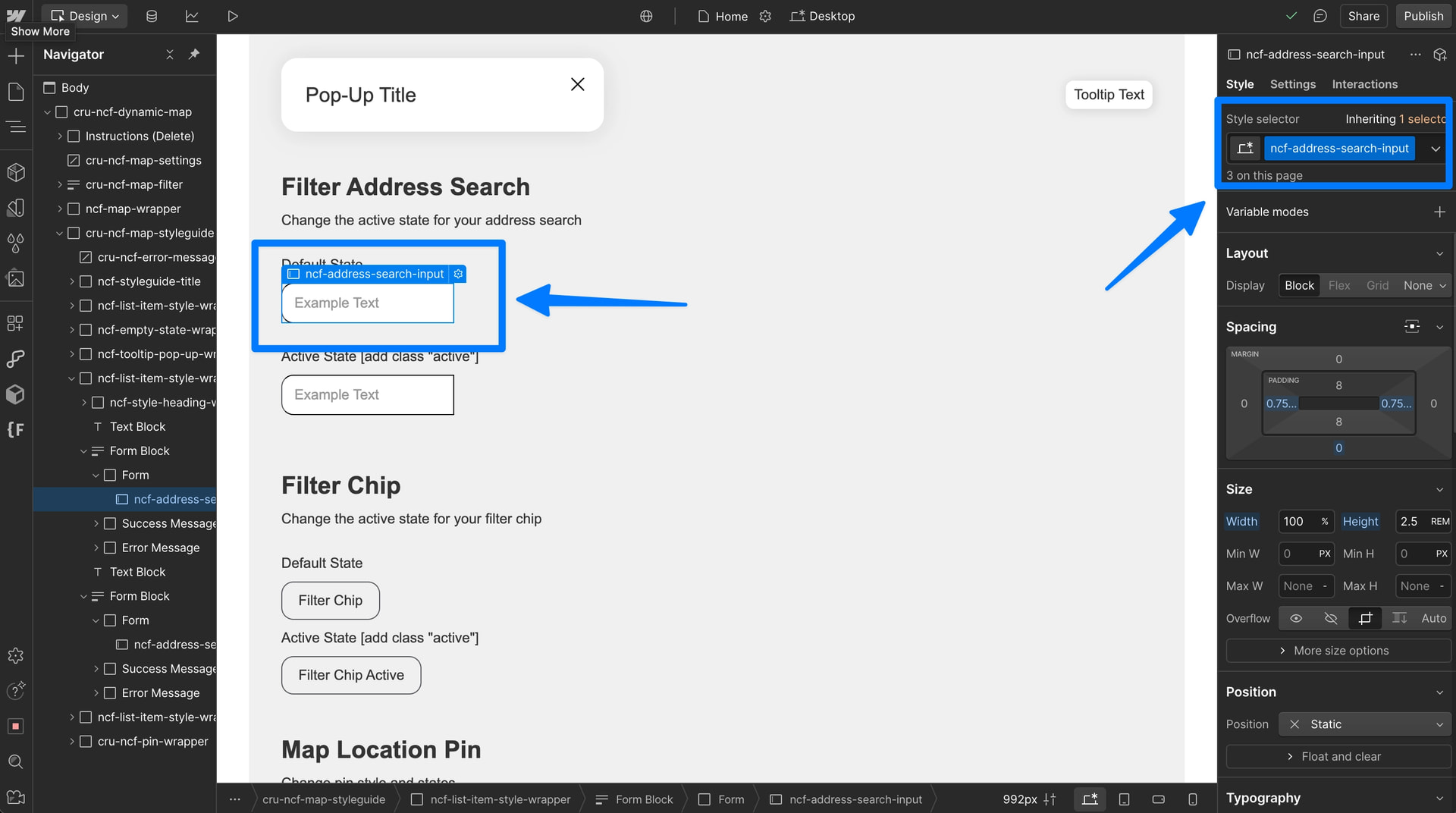
Style Address Search states
Style the address search’s default state utilizing Webflow’s ncf-address-search-input class
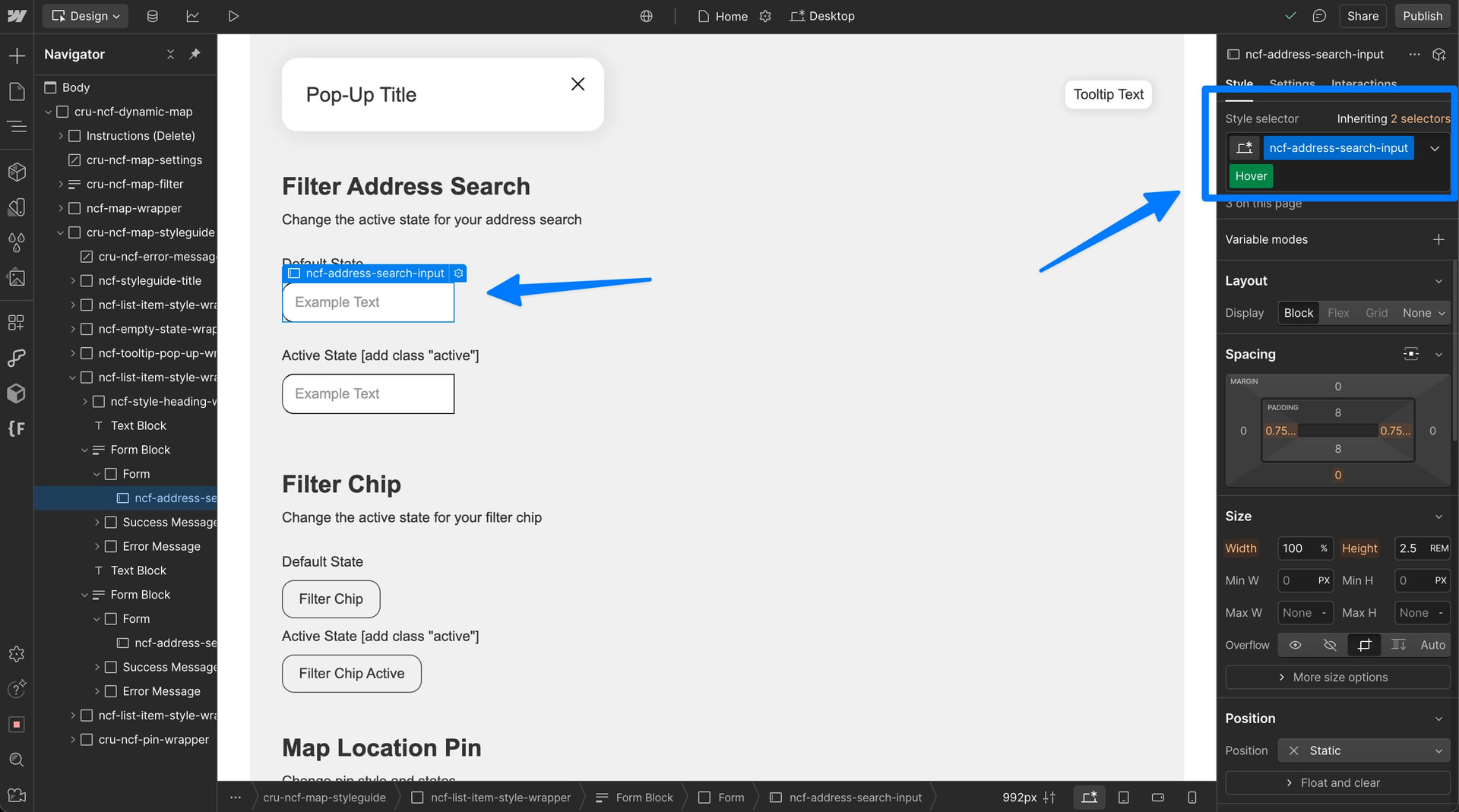
Style the address search’s hover state utilizing Webflow’s default hover selector
Style the address search’s active state adding the combo class ncf-address-search-input + active to the class
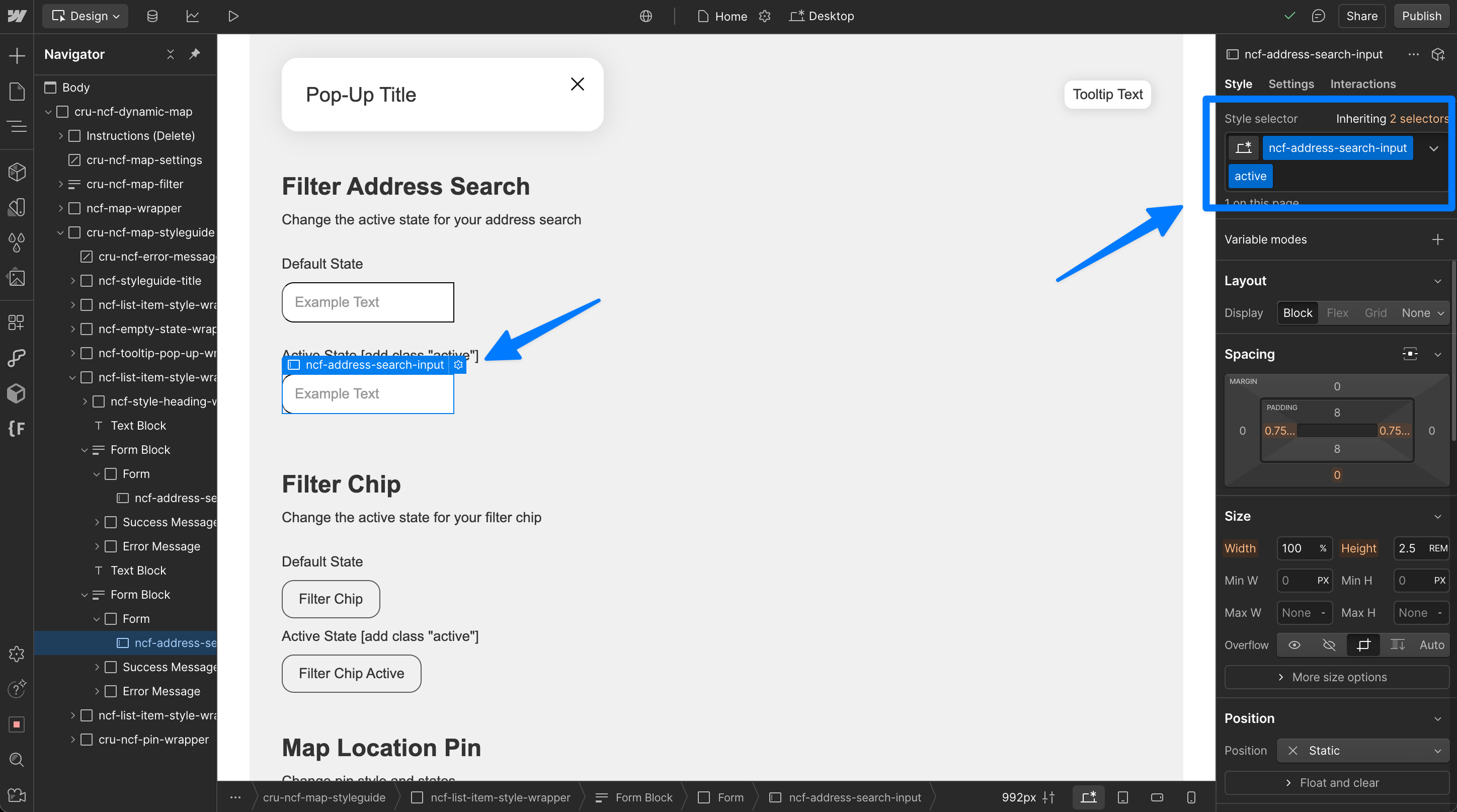
ncf-address-search-input active combo class.Style Address Search elements
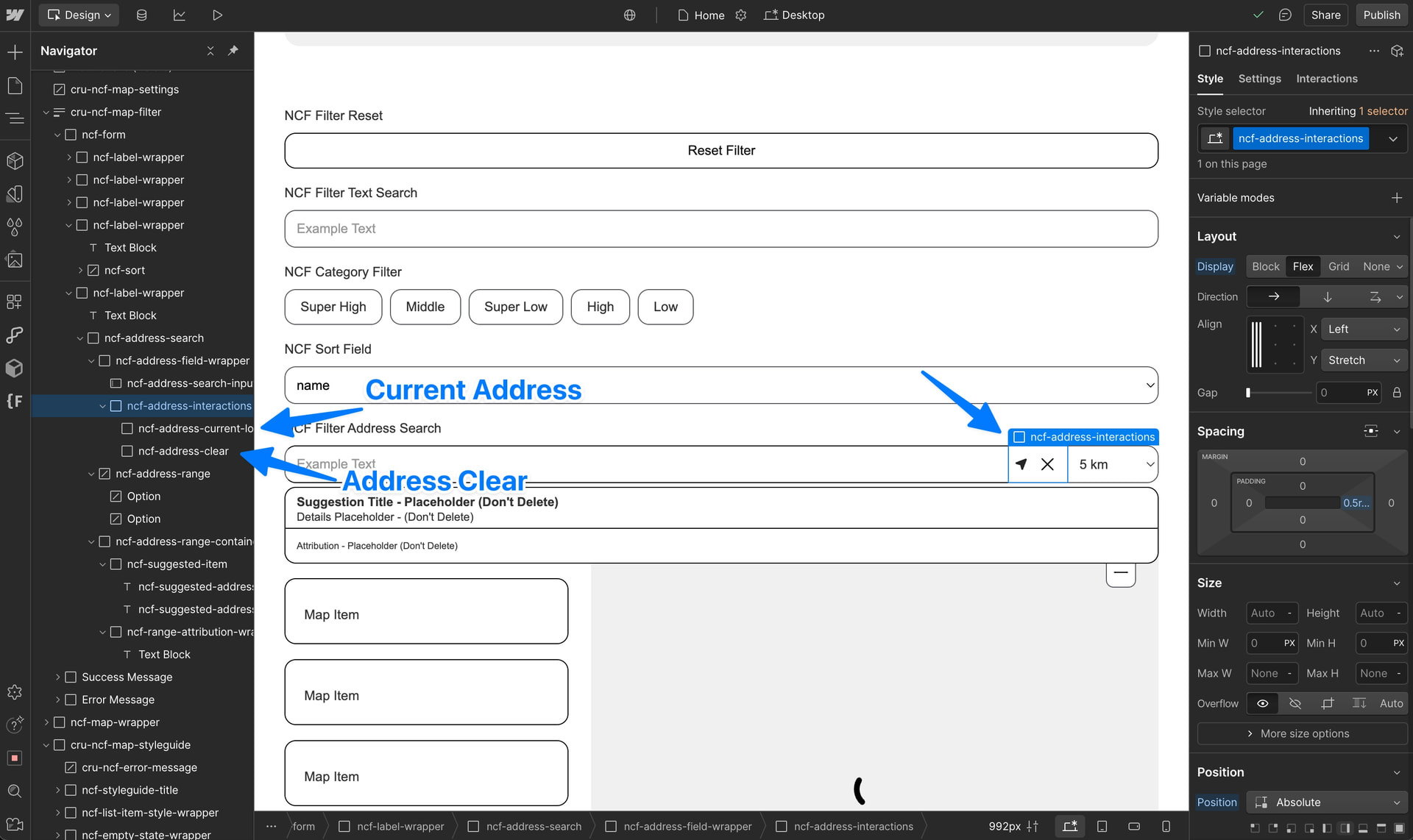
Style the address search’s interactions using the default Webflow classes inserted by Dynamic Map ncf-address-current-location and ncf-address-clear
💡 Pro Tip: Set ncf-address-range-container to Display: None Now you can design in peace while Dynamic Map is still going to display the address range container on the live site. To hide it on load apply
