
Last updated:
May 28, 2026
Change Email Address or Password
You can update your No Code Flow account email address or password in the App Settings panel. Note that your No Code Flow account is separate from your Webflow account — changes here only affect your Dynamic Map login credentials.
Your No Code Flow account is entirely separate from your Webflow account. It’s the account you created at app.nocodeflow.net when setting up Dynamic Map, and it stores your license key, your map configurations, and your account preferences. You can update your login credentials, either email address or password, at any time from within the Dynamic Map App settings panel inside Webflow Designer.
Changing your No Code Flow credentials has no effect on your Webflow login. The two platforms are independent.
You can change your No Code Flow account email address or password directly in the App Settings.
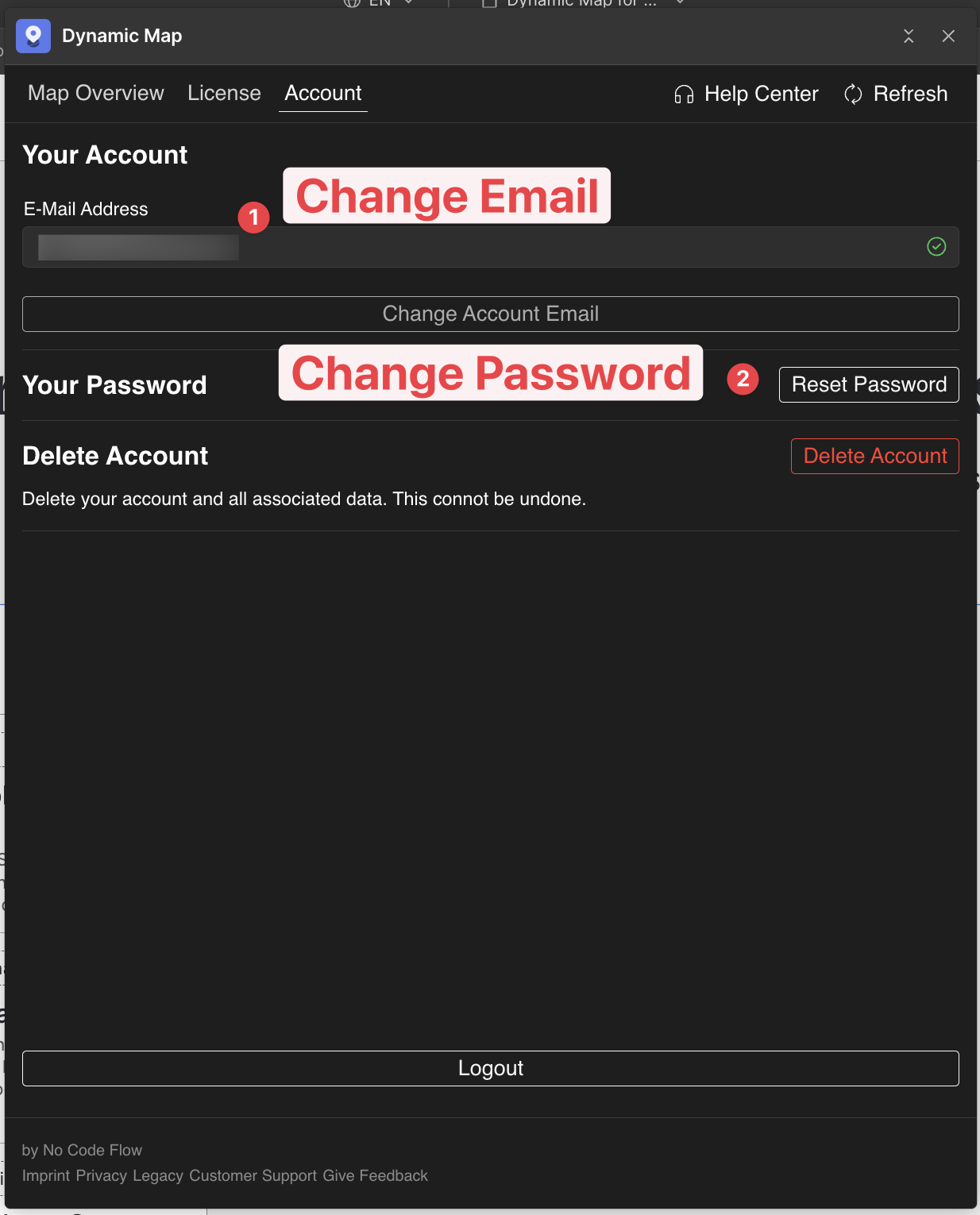
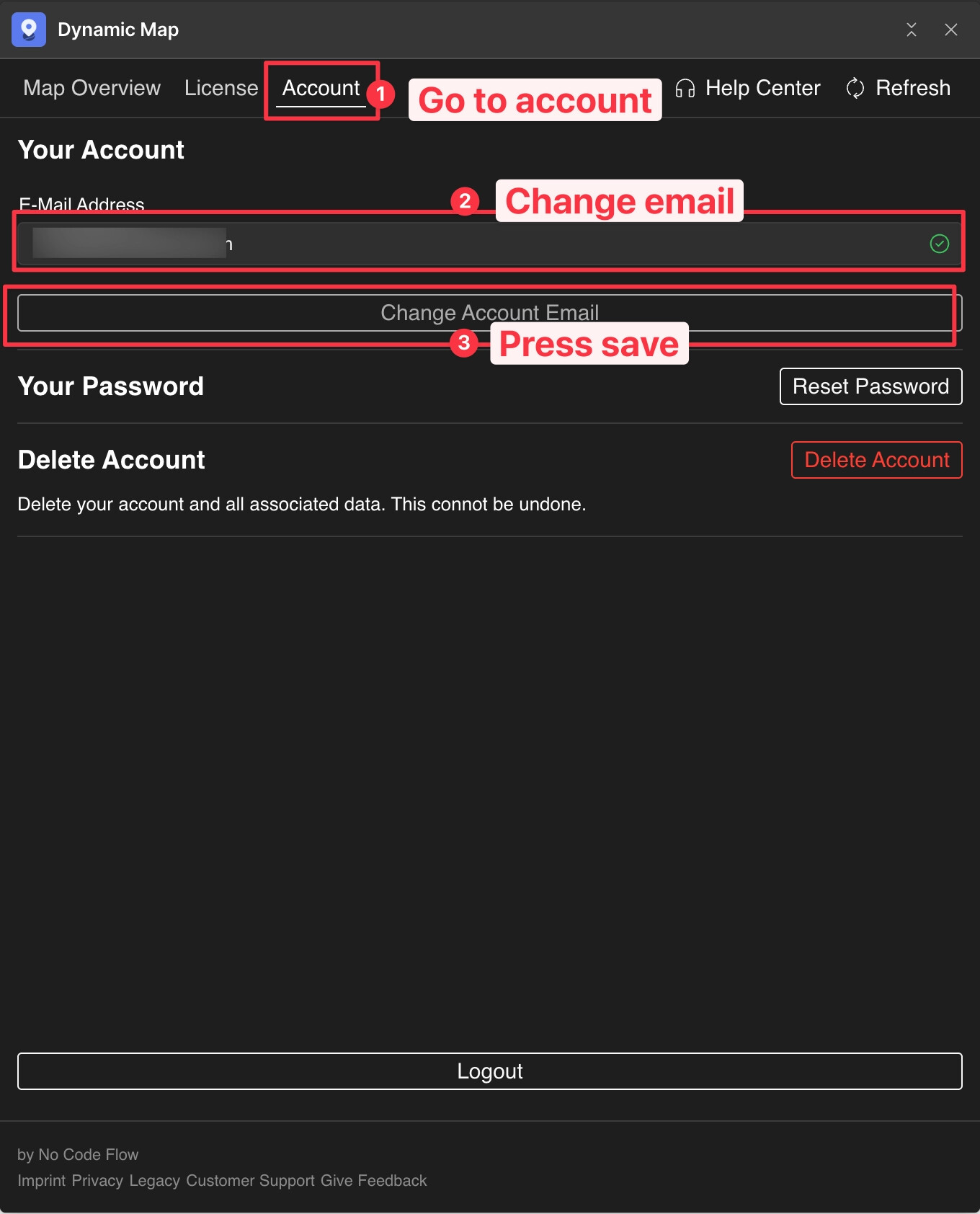
💡 Note: Your No Code Flow account is separate from your Webflow account. Changes here only affect your No Code Flow login.
Practical Tips
- Use ‘Forgot Password’ if you can’t log in to change it. If you’ve forgotten your current password and can’t access App Settings, go to app.nocodeflow.net/login and use the Forgot Password option. A reset link will be sent to your registered email address.
- Agencies: update credentials before handing a project to a client. If you’re transferring a project to a client who will manage Dynamic Map themselves, update the No Code Flow account email to the client’s address before handoff. Ask them to set a new password immediately after the transfer.
